Web DevelopmentReact & Next.jsDeveloper Careers
15 Web Development Projects for Your Resume (Beginner to Advanced)
15 web development project ideas for your resume, from beginner to advanced, with the skills each one proves and a feature to make it stand out. Also covers which projects suit each track, how to write a README, where to host for free and how to use reference code properly.

MetaSkillGroup
12 min read1
If you are a student or a fresher, you probably don't have much work experience to put on your resume. That is normal, and projects are how you fill the gap. A good project shows a company what certificates can't: that you can take an idea and turn it into something that works.
The problem is that many resumes list the same small to-do app from the same tutorial. This list gives you 15 project ideas, from beginner to advanced, along with the skills each one proves and one feature that makes it stand out.
💡 Quick answer: You don't need 15 projects on your resume. Build 3 or 4 finished ones: one beginner project to learn from, and two or three stronger projects that match the role you want. Good choices include a personal portfolio, a blog platform with login, an online store with test payments and a real-time chat app. Each one should have a live link, a clear README and code you can explain.
💡 Who is this guide for? Students and freshers who know some HTML, CSS and JavaScript and want to build projects that help them get an internship or a first job.
In this guide:
- What Makes a Project Resume-Worthy?
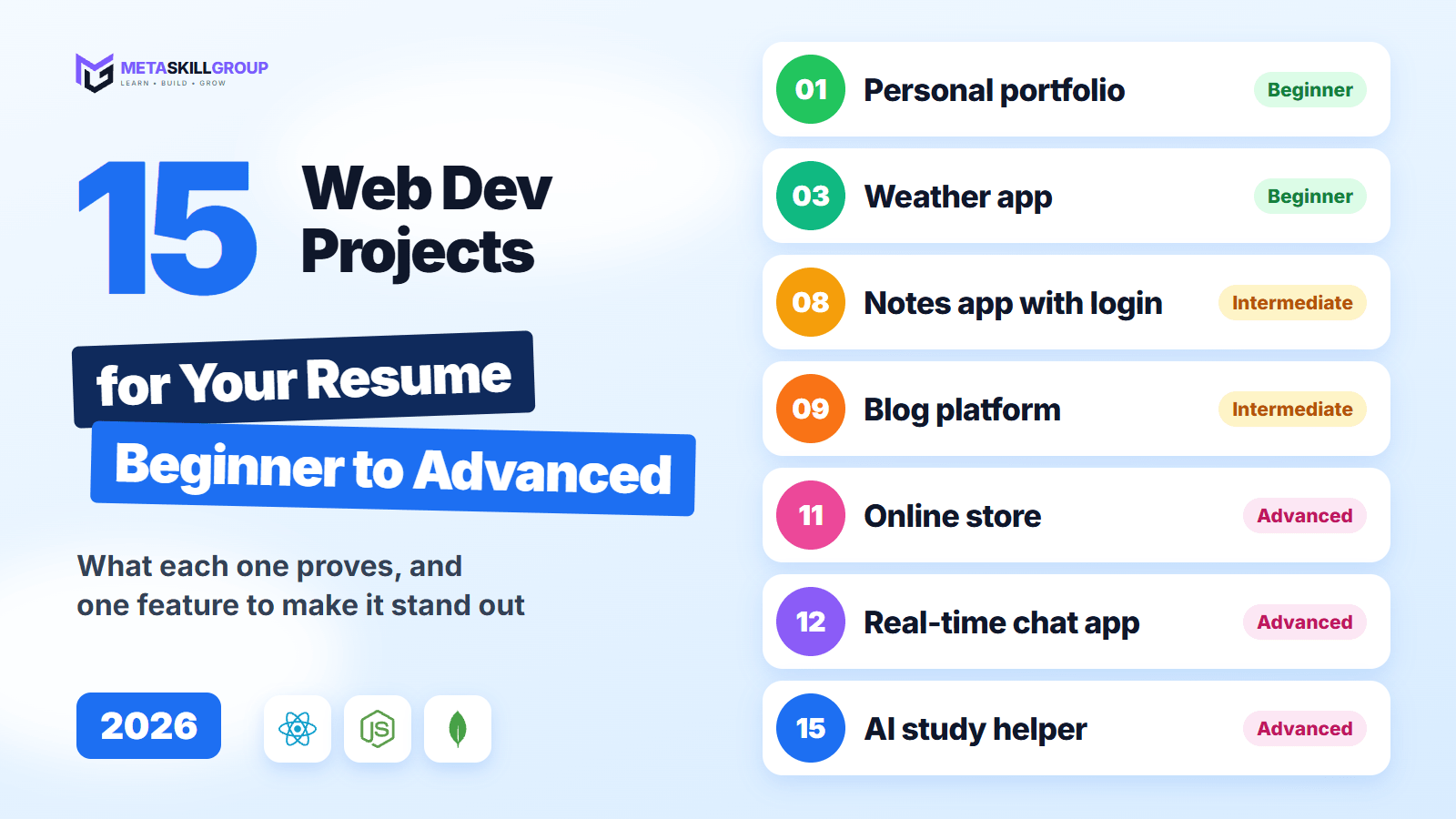
- All 15 Projects at a Glance
- Beginner Projects (1 to 5)
- Intermediate Projects (6 to 10)
- Advanced Projects (11 to 15)
- Which Projects Should You Pick for Your Track?
- How to Present Your Project
- Where to Host Your Projects for Free
- How to Use Reference Code the Right Way
- Common Mistakes to Avoid
What Makes a Project Resume-Worthy?
A strong project does not need to be huge. It needs to look like something real, and it needs to show that you understand how you built it.
- It solves a real problem. "An attendance tracker for my college club" says more than "Project 3".
- It is finished and online. A live link is worth far more than a folder of code.
- It has more than the tutorial did. Your own features show your own thinking.
- It handles real situations. Loading states, empty states, error messages and bad input are what separate a project from a demo.
- You can explain every part. In an interview, you may be asked why you built something a certain way.
Quality beats quantity. Three finished projects are much better than ten half-done ones.
All 15 Projects at a Glance
| # | Project | Level | Main skills |
|---|---|---|---|
| 1 | Personal portfolio | Beginner | HTML, CSS, responsive design |
| 2 | Business landing page | Beginner | Layouts, forms, page speed |
| 3 | Weather app | Beginner | JavaScript, fetch, APIs |
| 4 | Quiz app | Beginner | JavaScript logic, state |
| 5 | Expense tracker | Beginner | Local storage, charts |
| 6 | Recipe finder | Intermediate | React, routing, API data |
| 7 | Kanban task board | Intermediate | React state, drag and drop |
| 8 | Notes app with login | Intermediate | Authentication, REST API, database |
| 9 | Blog platform | Intermediate | CRUD, roles, Markdown |
| 10 | URL shortener | Intermediate | Backend, redirects, analytics |
| 11 | Online store | Advanced | Cart, orders, test payments |
| 12 | Real-time chat app | Advanced | WebSockets, rooms |
| 13 | Job board | Advanced | Roles, search, file uploads |
| 14 | Online test platform | Advanced | Timers, scoring, security |
| 15 | AI study helper | Advanced | AI APIs, file handling, usage limits |

Figure 1: The 15 projects grouped by level. Pick from the level that matches your skills today.
Beginner Projects (1 to 5)
These projects teach the basics. Keep one or two for practice, and upgrade the best one for your resume.
1. Personal Portfolio
A one-page site with your introduction, skills, projects and contact details. This is the link you will share most often, so it is worth doing well.
- Proves: HTML, CSS and responsive design
- Stand out with: a dark mode toggle and a fast, accessible page
2. Business Landing Page
Pick a real local business, such as a coaching centre or a café, and build the site it deserves.
- Proves: that you can follow a layout and build for a real need
- Stand out with: a working contact form and strong mobile layouts
3. Weather App
Type a city name and see the forecast. Open-Meteo has a free tier for non-commercial use, which is ideal for learning.
- Proves: that you can call an API and display the response
- Stand out with: a loading state, a clear "city not found" message and a saved list of cities
4. Quiz App
Show questions one at a time, count the score and display the result at the end.
- Proves: JavaScript logic and managing state
- Stand out with: a timer, random question order and a review screen with the right answers
5. Expense Tracker
Add income and expenses, see the balance and filter by category.
- Proves: working with data and saving it in the browser
- Stand out with: a monthly chart and an option to export a CSV file
Intermediate Projects (6 to 10)
This is where most students should aim for their resume. These projects use a framework, a database or both.
6. Recipe Finder
Search for dishes, open a details page and save your favourites. TheMealDB offers a test key for learning.
- Proves: React, routing and API data
- Stand out with: filters, shareable URLs and skeleton loading screens
7. Kanban Task Board
Create boards and move cards between columns, like a simple version of Trello.
- Proves: complex state in React
- Stand out with: drag and drop, keyboard support and saved data
8. Notes App with Login
Users can sign up, log in and manage their own private notes. This is often the first full stack project to build.
- Proves: authentication, REST APIs and a database
- Stand out with: tags, search and users who can only ever see their own notes
Our backend developer roadmap explains the API and login steps in detail.
9. Blog Platform
Writers can create posts in Markdown, and readers can browse and comment.
- Proves: CRUD, permissions and content pages
- Stand out with: admin, author and reader roles, image uploads and basic SEO
10. URL Shortener
Paste a long link, get a short one and see how many people clicked it.
- Proves: backend logic and database design
- Stand out with: a click dashboard, custom short names and link expiry
Advanced Projects (11 to 15)
Pick one of these to be your main project. One complete advanced project can carry a fresher's resume.
11. Online Store
Products, a cart, checkout, orders and an admin panel. For payments, use Razorpay test mode, so that no real money moves.
- Proves: that you can handle a complete business flow
- Stand out with: stock checks, server-side price calculations and order emails
12. Real-Time Chat App
Private and group chats where messages appear instantly. Socket.IO is a popular way to build this.
- Proves: WebSockets and real-time data
- Stand out with: online status, typing indicators and unread counts
13. Job Board
Companies post jobs, and applicants search and apply with a resume upload.
- Proves: multiple user roles, search and file uploads
- Stand out with: application status tracking and email alerts
14. Online Test Platform
Teachers create tests, and students attend them with a timer and get automatic results.
- Proves: careful logic and data security
- Stand out with: a timer enforced on the server, shuffled questions and a results dashboard
15. AI Study Helper
Upload your notes and get a summary and practice questions, using an AI API.
- Proves: that you can add AI to a real product
- Stand out with: usage limits, streaming replies and clear handling of errors
💡 Pro Tip: Never put an AI API key in frontend code, because anyone can read it. Call the AI service from your backend and keep the key in an environment variable.
Which Projects Should You Pick for Your Track?
Match your projects to the role you are applying for. Here is a simple starting point:
| If you want... | Build these | Then read |
|---|---|---|
| Frontend | 1, 6, 7 | Frontend developer roadmap |
| Backend | 8, 10, 12 | Backend developer roadmap |
| Full stack or MERN | 1, 9, 11 | MERN stack roadmap |
| Python | 8, 14, 15 | Python developer roadmap |
Still deciding? Our guide on frontend vs backend vs full stack can help you choose.
How to Present Your Project
How you show a project matters almost as much as the code. A recruiter who opens your GitHub should understand it in under a minute.
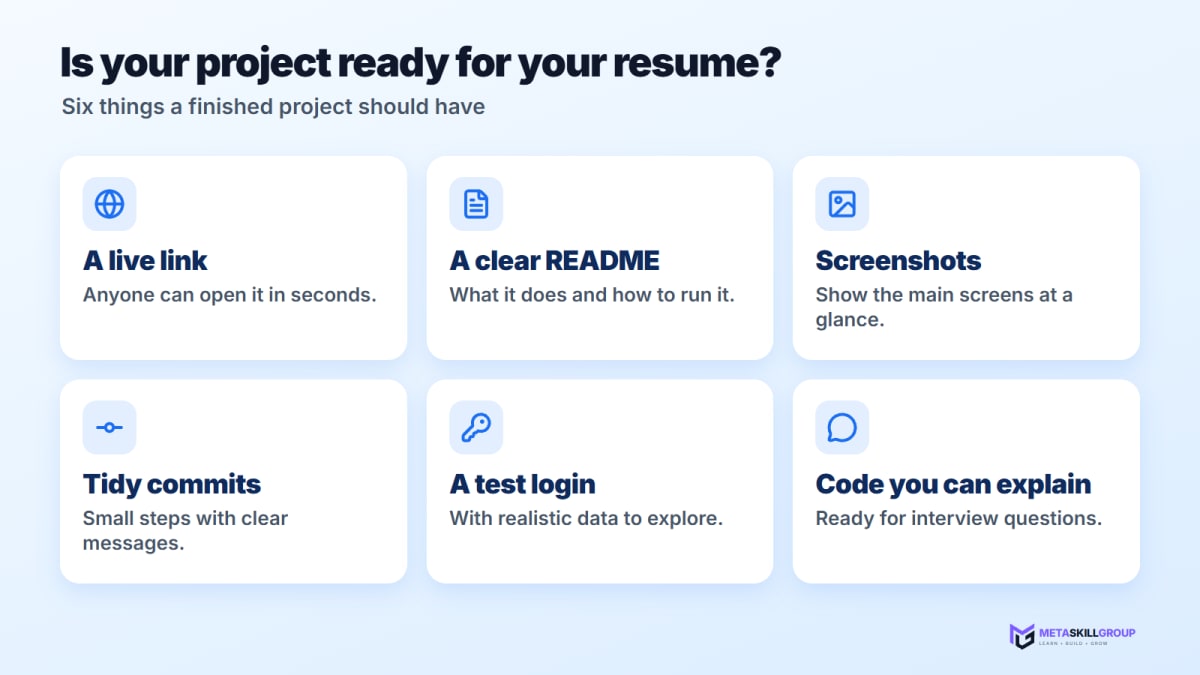
Figure 2: Six things a finished project should have before it goes on your resume.
Every project needs a good README. You can copy this structure:
markdown1# Project Name 2 3One sentence about what it does and who it is for. 4 5**Live demo:** https://your-project-link 6**Test login:** demo@example.com / demo12345 7 8## Features 9- Users can sign up and log in 10- Search and filter products 11- Pay using Razorpay test mode 12 13## Built with 14React, Node.js, Express, MongoDB 15 16## Run it locally 171. Clone the repository 182. Copy .env.example to .env and fill in the values 193. Run npm install, then npm run dev 20 21## What I learned 22The hardest part was... and I solved it by...
Keep your commit history tidy too. Our Git and GitHub guide explains how to write clear commits and make your profile look professional.
Where to Host Your Projects for Free
A live link makes your project easy to check. These options are good places to start, but free plans change, so read each provider's current page first.
| Service | Good for | Good to know |
|---|---|---|
| GitHub Pages | Static sites made with HTML, CSS and JavaScript | Static hosting only, so no backend |
| Vercel Hobby | React and Next.js projects | Free, for personal and non-commercial use |
| Render | Node.js and Python backends | Free services sleep after 15 minutes without traffic and take about a minute to wake up |
| MongoDB Atlas | A hosted database | The free M0 cluster includes 512 MB of storage |
⚠️ Note: Because free backends can take a minute to wake up, add a line to your README, such as "The first load may take about a minute". Otherwise, a recruiter may think your project is broken.
How to Use Reference Code the Right Way
Looking at other people's code is one of the best ways to learn. Professional developers do it all the time. The key is to use it to learn, and then build your own version.
- Study how things are organised. Browse the components, templates and projects on MetaSkillGroup to see how real features are structured.
- Understand before you use. Read a piece of code until you could explain it to a friend.
- Build your own version. Close the reference, write it yourself and add your own features.
- Be honest about credit. If part of your project came from a template or a library, say so in your README. Only present work as your own if you really built it.
Common Mistakes to Avoid
| Mistake | What to do instead |
|---|---|
| Only tutorial projects | Add features the tutorial didn't have |
| Too many small projects | Finish 3 or 4 strong ones |
| No live link | Deploy every project you list |
| A broken demo | Open your links before every application |
| No test login | Give a demo account, so that nobody has to sign up |
| Secrets pushed to GitHub | Use environment variables and .gitignore |
| Code you can't explain | Go back and learn it before your interview |
Final Thoughts
You don't have to build everything on this list. Pick one project from your level that sounds fun, finish it, put it online, and then move up a level. Three or four finished projects with clear READMEs and live links will put you ahead of most fresher resumes.
The next step is getting your work reviewed by experienced developers, which is hard to do on your own. You can do a free internship at MetaSkillGroup, where you build real features for our own products and our team reviews your code. Our online developer internship is open all year in six tracks. It takes about 2 minutes to apply, and your first exam attempt is free.
- #web development projects
- #projects for resume
- #portfolio projects
- #beginner projects
- #react projects
- #full stack projects
- #project ideas
- #internship for freshers
Related posts
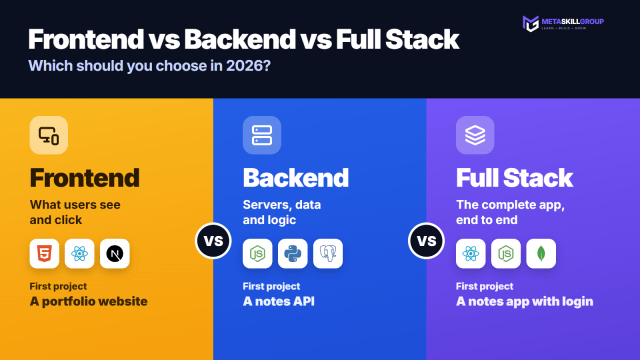 Frontend vs Backend vs Full Stack: Which Should You Choose in 2026?Frontend vs backend vs full stack explained in simple words: what each developer does, a side-by-side comparison, one login feature seen from all three sides, who each path suits, what to learn first, where MERN, MEAN and Python fit, and a 30-day test to help you decide.
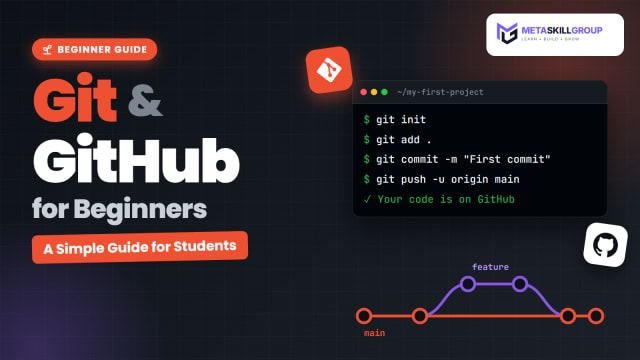 Git and GitHub for Beginners: A Simple Guide for StudentsLearn Git and GitHub from scratch in simple words. Understand the difference between Git and GitHub, set up Git, make your first commits, push to GitHub, use branches and pull requests, and build a GitHub profile that recruiters like, with a full commands cheat sheet.
 Frontend Developer Roadmap 2026: A Step-by-Step Guide for BeginnersA simple, step-by-step frontend developer roadmap for 2026. Learn HTML, CSS, JavaScript, Git, React, TypeScript and Next.js in the right order, with a 6-month study plan, beginner projects, free resources and a checklist for your first frontend internship.
❓ FAQs
Three or four strong, finished projects are usually enough for a fresher. It is better to have three projects with live links and clear READMEs than ten half-finished ones.
Good choices include a personal portfolio, a notes app with login, a blog platform with user roles, an online store with test payments and a real-time chat app. Choose projects that match the role you are applying for.
Yes, as long as you have added real work of your own. Add features that the tutorial didn't have, make sure you understand all of the code and be open about what you learned from. A plain copy of a tutorial won't help you much.
It is strongly recommended. A live link lets a recruiter see your work in seconds without running any code. GitHub Pages, Vercel and Render all have free options for personal projects.
No. The idea matters less than how well you build it. A common idea, such as a store, with real checks, good error handling and a clear README can impress more than an unusual idea that is only half working.
Yes, AI is a useful helper, but you must be able to explain every part of what you submit. Interviewers often ask why you made a certain decision. Use AI to learn and to review your work, and make sure the understanding is your own.
You can learn from them and use them in your projects if their licence allows it, but be honest about it. Credit what you used in your README, and only present work as your own if you really built it.
Start with a notes app with login. It covers React, Express, MongoDB, authentication and deployment in a small project. After that, a blog platform or online store is a natural next step.
As a rough guide, a beginner project may take one or two weekends, an intermediate project two to four weeks and an advanced project one to two months, depending on how much time you have each day.
Yes. MetaSkillGroup offers a free online internship where you build real features for its own products and the team reviews your work. It is open all year in six tracks, and you can apply at metaskillgroup.com/careers in about 2 minutes.
Comments
Join the conversation
Login to post comments and replies
No comments yet. Be the first!