Web DevelopmentTypeScriptJavaScriptMERN Stack
Building a Video Downloader Tool for Ads — Results
I tried to build a free video downloader site to earn money from ads. It worked, then it got shut down. Here's exactly what I built, what happened, and what I learned about platform terms of service and copyright law.

MetaSkillGroup
25 min read152

Building a Video Downloader Tool for Ads — Results
I had a simple plan. Build a free video downloader website, let people download videos from YouTube, Instagram, Facebook, and Twitter — and make money through ads. No complicated business model. Just a useful tool, some banner ads on the side, and passive income while I sleep.
It worked. Then it died.
This is the full, honest story of what I built, how I built it, what happened when I deployed it live, and everything I wish I had known before I ever wrote the first line of code. If you are a developer thinking about building something similar — read this first.
💡 Quick answer: A video downloader built with Next.js, yt-dlp, Playwright and MongoDB can work well technically, but a public site for YouTube, Instagram, Facebook or X breaks those platforms' terms of service and attracts DMCA takedowns, so it rarely stays online. Build it locally to learn, and use the same skills for legal tools such as YouTube Data API dashboards, stock-video search or converters for users' own files.

The Idea — Passive Income Through a Free Tool
The business model made complete sense in my head. Video downloader websites already get millions of visitors every month. Sites like SaveFrom.net and Y2Mate had been around for years making real money. People constantly search Google for how to download Instagram reels, YouTube videos, Facebook clips, and Twitter videos.
The search volume is massive. The demand is real. And most of the existing tools are either covered in sketchy ads, filled with malware, or just terrible to use.
My thinking was simple:
- Build a clean, fast, mobile-friendly video downloader
- Support all major platforms in one place
- Keep it completely free for users
- Make money through Google AdSense or similar ad networks
- Let the traffic and ad revenue grow over time
No subscription. No login required. No complicated features. Just paste a URL, click download, done.
On paper, this felt like a genuinely useful product that filled a real gap. The existing tools were bad. I could build something better.
Planning the Scope
Before writing any code, I mapped out exactly which platforms I wanted to support and what the challenges would be for each one.
The list I started with:
- YouTube — videos, shorts, playlists, audio-only (MP3)
- Instagram — posts, reels, stories, profile highlights
- Facebook — public videos, watch videos, reels
- Twitter / X — video tweets, GIFs
Each platform is completely different under the hood. They have different ways of loading video, different URL structures, different authentication requirements, and different levels of bot protection. This is where the project started getting complicated fast.
The Tech Stack I Chose
This was not a basic weekend project. I wanted to build something production-ready, so I chose tools I was already comfortable with and that could scale.
| Layer | Technology | Why I Chose It |
|---|---|---|
| Frontend + Backend | Next.js 14 with TypeScript | Full-stack in one framework |
| Video Downloading | yt-dlp (Python) | Supports 1000+ sites |
| Browser Automation | Puppeteer and Playwright | For JS-heavy platforms |
| Database | MongoDB with Mongoose | Flexible schema, fast queries |
| Cloud Storage | Cloudinary | Temporary video file storage |
| Third-Party API | RapidAPI Video Downloader | Fallback for 50 req/day free |
| Deployment | Vercel + Node server | Easy CI/CD |
Why yt-dlp?
yt-dlp is an open-source command-line tool and Python library that supports downloading media from over 1000 websites. It started as a fork of the older youtube-dl project but has been maintained much more actively and handles modern platform changes better.
For my project, I ran yt-dlp as a child process from Node.js using the spawn method. The workflow looked like this:
- User pastes a URL into the frontend
- Next.js API route receives the URL
- Node.js spawns a
yt-dlpchild process with the URL and quality flags - yt-dlp downloads the video to a temporary directory on the server
- The server streams the file back to the user as a download response
- The temp file gets deleted after the download completes
typescript1import { spawn } from "child_process"; 2import path from "path"; 3import { v4 as uuidv4 } from "uuid"; 4 5export async function downloadWithYtDlp( 6 url: string, 7 quality: string = "best" 8): Promise<string> { 9 const outputDir = path.join(process.cwd(), "tmp"); 10 const filename = `${uuidv4()}.%(ext)s`; 11 const outputPath = path.join(outputDir, filename); 12 13 return new Promise((resolve, reject) => { 14 const args = [ 15 url, 16 "-f", quality, 17 "-o", outputPath, 18 "--no-playlist", 19 "--merge-output-format", "mp4", 20 ]; 21 22 const process = spawn("yt-dlp", args); 23 let finalPath = ""; 24 25 process.stdout.on("data", (data: Buffer) => { 26 const line = data.toString(); 27 // Parse output to get the actual filename 28 if (line.includes("Destination:")) { 29 finalPath = line.split("Destination:")[1].trim(); 30 } 31 }); 32 33 process.on("close", (code: number) => { 34 if (code === 0) { 35 resolve(finalPath); 36 } else { 37 reject(new Error(`yt-dlp exited with code ${code}`)); 38 } 39 }); 40 }); 41}
yt-dlp worked great for YouTube, Twitter, and Facebook. Instagram was the exception — their platform has too much JavaScript and session-based authentication for yt-dlp to handle reliably without extra setup.

Why Puppeteer and Playwright?
Instagram does not serve video files through simple HTTP requests that you can intercept with a standard download tool. Their platform is a heavy JavaScript application. Videos are loaded dynamically through API calls that happen inside the browser session. The URLs for the actual video files are hidden behind authentication, rate limiting, and constantly rotating CDN endpoints.
To get around this, I used Playwright (and experimented with Puppeteer as well) to launch a real headless Chromium browser on the server.
The process worked like this:
- Playwright launches a headless browser on the server
- The browser navigates to the Instagram post or reel URL
- I intercept all network requests made by the page using Playwright's
page.route()API - When a request is made to Instagram's CDN for a video file, I capture that URL
- I take that captured CDN URL and use it to download the actual video
typescript1import { chromium } from "playwright"; 2 3export async function getInstagramVideoUrl( 4 postUrl: string 5): Promise<string | null> { 6 const browser = await chromium.launch({ headless: true }); 7 const context = await browser.newContext({ 8 userAgent: 9 "Mozilla/5.0 (iPhone; CPU iPhone OS 16_0 like Mac OS X) AppleWebKit/605.1.15 (KHTML, like Gecko) Version/16.0 Mobile/15E148 Safari/604.1", 10 }); 11 12 const page = await context.newPage(); 13 let videoUrl: string | null = null; 14 15 // Intercept network requests to catch video CDN URLs 16 await page.route("**/*.mp4*", (route) => { 17 videoUrl = route.request().url(); 18 route.continue(); 19 }); 20 21 await page.goto(postUrl, { waitUntil: "networkidle" }); 22 23 // Also try scraping from page source as fallback 24 if (!videoUrl) { 25 videoUrl = await page.evaluate(() => { 26 const videoEl = document.querySelector("video"); 27 return videoEl?.src || null; 28 }); 29 } 30 31 await browser.close(); 32 return videoUrl; 33}
The difference between Puppeteer and Playwright in my testing:
- Puppeteer is lighter and faster but only controls Chromium. It is maintained by Google and has a massive community.
- Playwright supports Chromium, Firefox, and WebKit. It has better network interception APIs and more reliable
waitUntilstrategies. This made it more useful for Instagram's complex page loading.
I ended up using Playwright for Instagram and Facebook, and yt-dlp for everything else.

Why MongoDB?
I chose MongoDB because the data I was working with did not have a rigid, predictable structure. Different platforms return completely different metadata for their videos — YouTube gives you duration, chapter markers, subtitles, and thumbnail quality levels. Instagram gives you almost nothing from the front end. Twitter gives you different quality variants. Facebook has its own format.
MongoDB let me store all of this in a flexible document structure without having to maintain a rigid SQL schema.
Here is what my download cache schema looked like:
typescript1import mongoose, { Schema, Document } from "mongoose"; 2 3interface IDownloadCache extends Document { 4 urlHash: string; 5 originalUrl: string; 6 platform: "youtube" | "instagram" | "twitter" | "facebook"; 7 videoUrl: string; 8 metadata: { 9 title?: string; 10 thumbnail?: string; 11 duration?: number; 12 formats?: Array<{ 13 quality: string; 14 url: string; 15 filesize?: number; 16 }>; 17 }; 18 downloadCount: number; 19 lastAccessedAt: Date; 20 expiresAt: Date; 21 createdAt: Date; 22} 23 24const downloadCacheSchema = new Schema<IDownloadCache>( 25 { 26 urlHash: { 27 type: String, 28 required: true, 29 unique: true, 30 index: true, 31 }, 32 originalUrl: { 33 type: String, 34 required: true, 35 }, 36 platform: { 37 type: String, 38 enum: ["youtube", "instagram", "twitter", "facebook"], 39 required: true, 40 index: true, 41 }, 42 videoUrl: { 43 type: String, 44 required: true, 45 }, 46 metadata: { 47 title: String, 48 thumbnail: String, 49 duration: Number, 50 formats: [ 51 { 52 quality: String, 53 url: String, 54 filesize: Number, 55 }, 56 ], 57 }, 58 downloadCount: { 59 type: Number, 60 default: 1, 61 }, 62 lastAccessedAt: { 63 type: Date, 64 default: Date.now, 65 }, 66 expiresAt: { 67 type: Date, 68 index: { expires: 0 }, 69 }, 70 }, 71 { timestamps: true } 72); 73 74// TTL index — auto-delete cached entries after 24 hours 75downloadCacheSchema.index({ expiresAt: 1 }, { expireAfterSeconds: 0 }); 76 77export const DownloadCache = mongoose.model<IDownloadCache>( 78 "DownloadCache", 79 downloadCacheSchema 80);
The caching layer was important. If 100 users tried to download the same YouTube video within 24 hours, only the first request would actually hit yt-dlp. The rest would get served from the MongoDB cache, which was much faster and reduced server load significantly.

Building for Each Platform
This is where the real work happened. Each platform required a completely different approach.
YouTube — The Easiest One
YouTube was the most straightforward because yt-dlp has native, well-maintained support for it. The main challenge was quality selection.
YouTube does not always serve video and audio in the same file at high resolutions. At 1080p and above, video and audio are separate streams that need to be merged. yt-dlp handles this automatically using ffmpeg in the background.
The format codes I worked with:
bash1# Best quality (video + audio merged) 2yt-dlp -f "bestvideo+bestaudio" --merge-output-format mp4 URL 3 4# 720p specifically 5yt-dlp -f "bestvideo[height<=720]+bestaudio" --merge-output-format mp4 URL 6 7# Audio only (for music) 8yt-dlp -f "bestaudio" --extract-audio --audio-format mp3 URL
I gave users a quality picker in the UI: 360p, 720p, 1080p, and Audio Only. The API route detected which format code to pass to yt-dlp based on the user's selection.
YouTube also has rate limiting. If you make too many requests from the same IP, you start getting 429 errors. I handled this with request queuing and adding a small delay between concurrent downloads.
Instagram — The Hardest One
Instagram was by far the most difficult platform to support. Here is why:
No public API for content. Instagram shut down its public API for third-party apps in 2018. There is no official way to get video data.
Heavy bot protection. Instagram uses fingerprinting, rate limiting, and session validation aggressively. Headless browsers get detected and blocked quickly if you do not set up your user agent, viewport, and behavior carefully.
Session requirements. Many Instagram videos — especially stories and highlights — require you to be logged in to view them at all. I handled public posts and reels fine, but stories were unreliable without injecting a real session cookie.
Constantly changing page structure. Instagram deploys frontend updates frequently. The selectors and network request patterns I relied on changed multiple times during development, requiring me to update my scraping logic.
What worked in the end for public reels and posts:
- Playwright with a mobile iPhone user agent (desktop gets more aggressive bot detection)
- Network request interception to catch CDN video URLs directly
- Fallback to scraping the
__additionalDataLoadedJSON that Instagram embeds in the page source - A 2-3 second random delay between requests to simulate human behavior
Stories and highlights worked inconsistently and I never got them fully stable.
Facebook — Publicly Available, But Still Tricky
Facebook public videos were easier than Instagram because Facebook still has some older page-render behavior that makes video URLs accessible.
The approach that worked:
- Use yt-dlp for most public Facebook videos — it has decent Facebook support
- For videos where yt-dlp failed, use Playwright to navigate to the video page
- Intercept requests to
video.xx.fbcdn.netwhich is Facebook's video CDN - Capture the HD and SD quality URLs from those intercepted requests
Facebook also embeds video URLs in its page's __bbox JSON blobs. Parsing these with regex or a JSON parser gave a fallback option when interception did not work.
The main challenge with Facebook was that many videos are only available to logged-in users, or are restricted to "Friends only." My tool only worked reliably for fully public videos.
Twitter / X — The Most Straightforward After YouTube
Twitter's video player is simpler than Instagram or Facebook. Videos on Twitter are served as M3U8 HLS streams, which are basically playlists of small video chunks.
yt-dlp handles Twitter URLs natively and merges the HLS chunks into a single MP4 file automatically.
bash1yt-dlp https://twitter.com/user/status/TWEET_ID -f "best" -o "output.mp4"
The main complication after Elon Musk acquired Twitter and rebranded it to X was the API access policy changes. The old Twitter API that many scraping libraries depended on became heavily restricted. yt-dlp's Twitter support required frequent updates to keep working as the platform changed.
GIFs on Twitter are also actually MP4 videos internally, and yt-dlp downloaded those correctly as well.

The Full API Route Structure
Here is how the main download API was structured in Next.js:
typescript1// app/api/download/route.ts 2import { NextRequest, NextResponse } from "next/server"; 3import { detectPlatform } from "@/lib/platformDetector"; 4import { downloadWithYtDlp } from "@/lib/ytdlp"; 5import { getInstagramVideoUrl } from "@/lib/playwright"; 6import { getFacebookVideoUrl } from "@/lib/facebook"; 7import { DownloadCache } from "@/models/DownloadCache"; 8import { createHash } from "crypto"; 9import connectDB from "@/lib/mongodb"; 10 11export async function POST(req: NextRequest) { 12 await connectDB(); 13 14 const { url, quality = "best" } = await req.json(); 15 16 if (!url) { 17 return NextResponse.json({ error: "URL is required" }, { status: 400 }); 18 } 19 20 // Create a hash of the URL for cache lookup 21 const urlHash = createHash("sha256").update(url + quality).digest("hex"); 22 23 // Check cache first 24 const cached = await DownloadCache.findOne({ urlHash }); 25 if (cached) { 26 await DownloadCache.updateOne( 27 { urlHash }, 28 { 29 $inc: { downloadCount: 1 }, 30 $set: { lastAccessedAt: new Date() }, 31 } 32 ); 33 return NextResponse.json({ 34 success: true, 35 videoUrl: cached.videoUrl, 36 metadata: cached.metadata, 37 fromCache: true, 38 }); 39 } 40 41 // Detect platform 42 const platform = detectPlatform(url); 43 44 try { 45 let videoUrl: string | null = null; 46 let metadata: any = {}; 47 48 switch (platform) { 49 case "youtube": 50 case "twitter": 51 const result = await downloadWithYtDlp(url, quality); 52 videoUrl = result.url; 53 metadata = result.metadata; 54 break; 55 56 case "instagram": 57 videoUrl = await getInstagramVideoUrl(url); 58 break; 59 60 case "facebook": 61 videoUrl = await getFacebookVideoUrl(url); 62 break; 63 64 default: 65 return NextResponse.json( 66 { error: "Unsupported platform" }, 67 { status: 400 } 68 ); 69 } 70 71 if (!videoUrl) { 72 return NextResponse.json( 73 { error: "Could not extract video URL" }, 74 { status: 422 } 75 ); 76 } 77 78 // Save to cache 79 await DownloadCache.create({ 80 urlHash, 81 originalUrl: url, 82 platform, 83 videoUrl, 84 metadata, 85 expiresAt: new Date(Date.now() + 24 * 60 * 60 * 1000), // 24 hours 86 }); 87 88 return NextResponse.json({ success: true, videoUrl, metadata }); 89 } catch (error: any) { 90 console.error("Download error:", error); 91 return NextResponse.json( 92 { error: error.message || "Download failed" }, 93 { status: 500 } 94 ); 95 } 96}
The Platform Detector Utility
Since users could paste URLs from any platform, I needed a reliable way to detect which platform a URL belonged to before deciding which download method to use.
typescript1// lib/platformDetector.ts 2 3type Platform = "youtube" | "instagram" | "twitter" | "facebook" | "unknown"; 4 5const PLATFORM_PATTERNS: Record<Platform, RegExp[]> = { 6 youtube: [ 7 /youtube\.com\/watch/, 8 /youtu\.be\//, 9 /youtube\.com\/shorts\//, 10 /youtube\.com\/playlist/, 11 ], 12 instagram: [ 13 /instagram\.com\/p\//, 14 /instagram\.com\/reel\//, 15 /instagram\.com\/stories\//, 16 /instagram\.com\/tv\//, 17 ], 18 twitter: [ 19 /twitter\.com\/\w+\/status\//, 20 /x\.com\/\w+\/status\//, 21 ], 22 facebook: [ 23 /facebook\.com\/watch/, 24 /facebook\.com\/.*\/videos\//, 25 /fb\.watch\//, 26 /facebook\.com\/reel\//, 27 ], 28 unknown: [], 29}; 30 31export function detectPlatform(url: string): Platform { 32 for (const [platform, patterns] of Object.entries(PLATFORM_PATTERNS)) { 33 if (platform === "unknown") continue; 34 for (const pattern of patterns) { 35 if (pattern.test(url)) { 36 return platform as Platform; 37 } 38 } 39 } 40 return "unknown"; 41}
The Frontend — Keeping It Simple
The UI was deliberately minimal. I did not want the interface to get in the way of the one thing users came to do — download a video.
The flow was:
- Paste URL into input field
- Platform auto-detected and shown with an icon
- Quality selector appears (YouTube only)
- Click Download
- Progress indicator while processing
- Download button appears when ready
I used Next.js App Router with React Server Components for the static parts and Client Components for the interactive download form. The whole thing loaded fast because the heavy work happened on the server side.

When It Actually Worked
Running it locally, everything performed exactly as I hoped. Here is what was working end to end:
- YouTube videos in 360p, 720p, and 1080p with quality selection
- YouTube audio-only downloads as MP3
- YouTube Shorts
- Instagram public posts and reels (stories were inconsistent)
- Facebook public videos — HD and SD quality options
- Twitter video tweets
- Twitter GIFs
- The MongoDB caching layer was reducing repeat download times from 8-10 seconds to under 1 second
The satisfaction of seeing a 1080p YouTube video download at full speed through something I built myself — that feeling is real. The tool actually worked well.
I tested it with friends. They used it on their phones. It worked. The UI was clean. Downloads were fast. I thought I was ready to deploy.
Deployment — And Then It Died
I deployed to a VPS with Node.js running the Next.js server, yt-dlp installed as a system binary, and Playwright with its Chromium browser downloaded.
The site went live. I shared it. A few people used it. Downloads were working.
Within a few days, the site stopped working.
I cannot say with absolute certainty which exact trigger brought it down, but based on what I have learned since — here is the most likely sequence of events.

The Legal Reality Nobody Explained to Me
This is the part I wish I had researched before I wrote a single line of code.
Instagram — The Strictest of All
Instagram's Terms of Use under Section 3.2 is explicit. It prohibits any automated or programmatic access to the platform without prior written permission from Meta. This includes any tool that accesses, reads, downloads, or extracts content in an automated way.
But it goes further than that. Instagram actively detects and blocks headless browsers, VPNs, and unusual access patterns using behavioral fingerprinting. When your server starts making dozens of requests that look non-human, your IP gets flagged and eventually blocked.
Meta also sends DMCA takedown notices to hosting providers when they identify tools being used to download Instagram content at scale. Your hosting provider acts on these to protect themselves, even if you personally never received a direct legal notice.
YouTube — Explicitly Banned in Their ToS
YouTube's Terms of Service under Section 5.H is one of the clearest statements I have seen in any platform's legal documents. It states that users may not download any content unless a download button or link is visibly provided by YouTube on that specific piece of content.
YouTube also has technical countermeasures. Their systems detect unusual download patterns and flag IPs. yt-dlp gets broken regularly by YouTube updates — sometimes multiple times per month — and relies on a community of developers constantly reverse-engineering YouTube's latest player code to keep it working.
Google (YouTube's owner) has also sent legal letters to developers who built YouTube downloading tools at scale. The project youtube-dl famously received a DMCA takedown notice from the RIAA in 2020. GitHub removed the repository before it was eventually restored after significant community pushback.
Facebook — Technically Accessible, Still Against ToS
Facebook's Terms of Service prohibit scraping and automated data collection. Their developer policy requires all applications accessing Facebook content to go through their official Graph API.
The Graph API does not support downloading videos that belong to other users. It only allows applications to manage content that belongs to the authenticated user of that application.
Running Playwright against Facebook's servers to intercept video CDN URLs is technically feasible — but it directly violates their ToS and constitutes scraping under their policy.
Twitter / X — Policy Chaos After the Acquisition
Twitter's situation changed dramatically after the acquisition. The old developer API that many third-party tools relied on was shut down or moved behind expensive paid tiers in 2023.
Twitter's ToS prohibits scraping their platform. Their Developer Agreement specifically bans using automated methods to collect tweets, media, or user data without going through the official API.
The API itself no longer offers media download endpoints in any meaningful way for third-party applications. The paid tiers are priced for enterprise customers, not individual developers.
The DMCA — The Actual Legal Mechanism
Even if platform ToS is considered a civil matter between you and the platform, the Digital Millennium Copyright Act brings federal law into the picture.
The DMCA's Section 1201 prohibits circumventing "technological protection measures" that control access to copyrighted works. Every video on YouTube, Instagram, Facebook, and Twitter is protected by copyright — either by the platform itself or by the creator.
The login walls, API authentication, CDN URL rotation, and JavaScript-heavy loading screens are all considered technological protection measures. A tool that bypasses these to download content can be seen as circumventing those measures — which is a federal violation in the United States.
This is why hosting providers act quickly when they receive DMCA notices. They are not doing it to be unfair. They are protecting themselves from liability under DMCA's safe harbor provisions, which only apply if they respond promptly to takedown notices.

Why These Sites Always Die — Even the Big Ones
You might be thinking: Y2Mate still works. SaveFrom still works. 9xbuddy still works. Why did my site die?
The sites that survive operate completely differently from what I built.
They use offshore hosting. Providers in jurisdictions where DMCA enforcement is difficult or slow. Eastern Europe, certain parts of Asia, offshore island territories. Standard Vercel, AWS, or DigitalOcean hosting acts on DMCA notices within days.
They rotate infrastructure constantly. Multiple domain names ready to switch when one gets taken down. Automated DNS changes. Mirror domains. A network of servers that can shift traffic within hours.
They run residential proxy networks. Instead of sending requests from a single server IP — which gets blocked quickly — they route traffic through thousands of real residential IP addresses that look like normal home internet users.
They update their scraping logic constantly. YouTube changes its player code frequently. Instagram changes its page structure. Twitter changes its API. The people behind the big surviving tools have dedicated developers watching for these changes and pushing fixes within hours.
They have legal teams or operate in legal grey zones. Several of the biggest video downloading sites have received legal challenges and survived them, not because they won, but because they operate outside US jurisdiction or because the legal process is slow.
For an individual developer who deployed on a standard cloud provider — none of these defenses exist. The site gets a DMCA notice, the hosting provider takes it down, and that is the end.
What You Can Build Instead
If you want to build something in this space without the legal exposure, here are real alternatives that are actually defensible.
Use the Official YouTube Data API Google's YouTube Data API v3 gives you access to video metadata, thumbnails, captions, channel statistics, and playlist data. You cannot download videos through it, but you can build legitimately useful tools — playlist managers, channel analytics dashboards, caption editors, and research tools. It is free for reasonable usage.
Build for User-Owned Content Only A tool where users can download only their own content sits in a very different legal position. Instagram allows users to request their own data archive. YouTube lets creators download their own videos through YouTube Studio. Building tools that help users manage their own content — with their own credentials, using official flows — is completely different from downloading other people's content.
Use Licensed Stock Video APIs Pexels, Pixabay, and Coverr offer free APIs for downloading royalty-free stock videos. Building a tool that helps content creators find and download free-to-use footage is a legitimate business. The API terms allow it. The content is licensed for it.
Build a Video Processing Tool Instead The skills you developed — FFmpeg, server-side video handling, streaming large files efficiently — apply directly to legitimate video tools. Video format converters (for user-uploaded files), thumbnail generators, video compression tools, GIF creators. All of these process content the user already owns.
Become the API If you understand how video downloading works technically, you can build an API that serves other developers — with clear terms, rate limiting, and a sustainable model. This is what RapidAPI does with its video downloader APIs. It is still a legal grey area, but the responsibility model is different.
And if ad income was the goal, a content site is the safer route — our advanced SEO guide explains how to grow traffic and when to add ads without hurting your rankings.

What the Technical Skills Are Actually Worth
Here is the honest reframe.
The yt-dlp knowledge transfers directly to legitimate media archiving, podcast downloading tools, and personal media library tools for content you personally own.
Playwright and Puppeteer are used everywhere in legitimate production systems — end-to-end testing, automated screenshot generation, PDF rendering, web scraping for public data (prices, public listings, open data). These skills are genuinely valuable and in demand.
MongoDB and Mongoose at the level I used them — with TTL indexes, compound queries, and document caching — are real production database skills. The schema patterns I built apply to any content platform. If you want to learn this stack in the right order, our MERN stack roadmap covers MongoDB, Express, React and Node.js step by step.
Next.js full-stack development, TypeScript, streaming large files through a Node.js server, handling binary file downloads, managing child processes in Node — all of these are solid engineering skills that apply to many other projects.
The project was not wasted. The business model was the problem, not the skills.
The Honest Reflection
I built a tool that actually worked. The engineering was real. The product worked as intended. People used it and it did what it said it would do.
The mistake was not understanding the legal landscape before investing time into it. A weekend of research would have told me what months of building eventually taught me.
The business model was not just risky — it was fundamentally unworkable at any scale without infrastructure and legal resources that an individual developer cannot realistically have.
If I had to give one piece of advice to another developer considering this: build it locally, use it for learning, understand the tools. That part is genuinely valuable. But do not deploy it publicly and expect it to stay up, and definitely do not build a business model around it.
The internet is full of video downloader sites. None of the ones that matter are run by solo developers on shared hosting. That alone should tell you something.
Should You Build This?
For learning — absolutely yes.
Build it locally. This project will teach you more practical full-stack skills than most tutorial projects. You will deal with child processes, binary file streaming, headless browser automation, platform-specific scraping challenges, MongoDB TTL indexes, and Next.js API routes handling real complexity. That education is real and transferable.
For a public product or passive income — no.
The site will go down. The maintenance burden to keep scraping logic updated across four major platforms is a full-time job. The legal exposure is real. The hosting environment will not protect you.
Build the skills. Skip the public deployment. Apply what you learned to something you can actually run without it getting shut down.
Want to build backend projects you can keep online? You can do a free internship at MetaSkillGroup. In our backend development internship you build real Node.js and MongoDB APIs with our team, online, for 3 months, and get a certificate anyone can verify.
Have you built something similar? Run into platform ToS issues on a project? Drop a comment — I would genuinely like to hear how other developers have handled this and what you built instead.
Tags: nextjs, nodejs, yt-dlp, puppeteer, playwright, mongodb, typescript, web scraping, side project, developer experience
- #yt-dlp
- #playwright
- #puppeteer
- #mongodb
- #video downloader
- #side project
Related posts
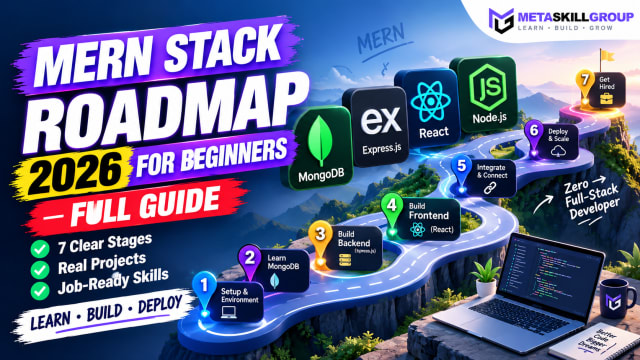 MERN Stack Roadmap for Beginners 2026: A Step-by-Step Guide to Becoming a Full-Stack DeveloperConfused about where to start with MERN? This step-by-step MERN stack roadmap for 2026 takes you from zero to your first full-stack project. Learn JavaScript, Node.js, Express, MongoDB and React in the right order, with a clear timeline, milestone projects, common mistakes and tips to learn faster with AI tools.
 Frontend Developer Roadmap 2026: A Step-by-Step Guide for BeginnersA simple, step-by-step frontend developer roadmap for 2026. Learn HTML, CSS, JavaScript, Git, React, TypeScript and Next.js in the right order, with a 6-month study plan, beginner projects, free resources and a checklist for your first frontend internship.
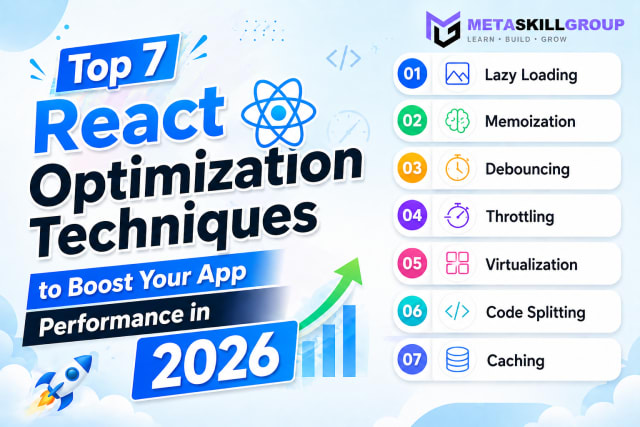 Top 7 React Optimization Techniques to Boost Your App Performance in 2026.Learn the top 7 React optimization techniques including Lazy Loading, Memoization, Debouncing, Throttling, Virtualization, Code Splitting, and Caching to build blazing fast React apps in 2026.
❓ FAQs
Running one publicly goes against the terms of service of YouTube, Instagram, Facebook and X, which do not allow automated downloading of their content. Hosting providers also act quickly on DMCA takedown notices, so such sites are usually shut down. Building one locally to learn is a different matter from running it as a public service.
Platforms detect and block automated access, and copyright holders send DMCA notices to the hosting provider, which then takes the site down to protect itself. A solo developer on standard cloud hosting (Vercel, AWS, DigitalOcean) has no way around this.
yt-dlp is an open-source command-line tool and Python library that downloads media from more than 1,000 websites. It is an actively maintained fork of youtube-dl and can merge separate video and audio streams into one file using ffmpeg.
Instagram loads videos through JavaScript inside a browser session, with rotating CDN links and strong bot protection, so yt-dlp alone was unreliable. Playwright runs a real headless browser, opens the post and captures the video request from the network traffic.
Puppeteer is lighter and controls Chromium only. Playwright supports Chromium, Firefox and WebKit and has stronger network-interception and waiting APIs, which made it more reliable for complex pages like Instagram and Facebook.
Each platform returns different video details, and MongoDB's flexible documents store them without a fixed schema. A TTL index deletes cached entries after 24 hours automatically, so repeat downloads dropped from 8–10 seconds to under 1 second.
They work very differently from a solo project: offshore hosting where takedowns are slow, many backup domains, residential proxy networks and teams that update their scraping code within hours. None of that is realistic for an individual developer.
It is a risky plan. Ad networks need steady traffic, and a downloader site is likely to be blocked or taken down before it earns much. A content site that grows through SEO is a safer way to earn from ads.
Good options are tools built on the YouTube Data API (playlist managers, analytics dashboards), stock-video search using the Pexels, Pixabay or Coverr APIs, tools that help users manage their own content, and video processing tools such as converters, compressors and GIF makers for files users upload.
Yes, as a local project. You practise child processes, streaming large files, headless browser automation, MongoDB TTL indexes and Next.js API routes — skills that carry over to testing, scraping public data and many other real projects.
Comments(1)
Join the conversation
Login to post comments and replies

thanks for this article this is really helpful.