Glassmorphism Register Form with Live Validation
A stunning glassmorphism register form with animated background blobs, two-panel layout, live inline validation, password toggle, custom checkbox, and success state — built with pure HTML, CSS & Vanilla JavaScript.
- Published 22 Aug 2026
- 72 views

Overview
Glassmorphism Register Form with Live Validation
A stunning two-panel glassmorphism register form with animated floating background blobs, live inline field validation, password visibility toggle, custom styled checkbox, and a button success state — built with pure HTML, CSS & Vanilla JavaScript. No frameworks, no build tools needed.
What's Included
- Two-panel layout — brand/feature left panel + form right panel
- Glassmorphism card with
backdrop-filter: blurand glass border - Three animated floating background blobs (purple, pink, cyan)
fadeSlideUpentrance animation on page load- Live inline validation on blur — first name, last name, email, password, confirm password
- Error state (red border + message) and success state (green border) per field
- Password visibility toggle on both password fields
- Custom styled checkbox for Terms & Privacy Policy
- Submit button with loading → success state (
Account Created!) - Responsive — stacks to single column on mobile below
680px - All design tokens via CSS custom properties
- Zero dependencies — pure HTML, CSS, Vanilla JS
Dependencies
| Name | Version | Type |
|---|---|---|
| Google Fonts — Syne + DM Sans | latest | CDN |
| Material Icons Round | latest | CDN |
Copy all CDN links from the
<head>ofindex.htmland paste into your project before your stylesheet.
Desktop Preview

HTML
Copy the full markup — background blob divs, wrapper, left panel, and form panel — and paste inside your <body>.
html1<!doctype html> 2<html lang="en"> 3 <head> 4 <meta charset="UTF-8" /> 5 <meta name="viewport" content="width=device-width, initial-scale=1.0" /> 6 7 <!-- Title --> 8 <title>Register | BuildWithAnkur</title> 9 10 <!-- SEO Meta --> 11 <meta 12 name="description" 13 content="Create your account on BuildWithAnkur. Explore blogs, projects, templates, and free components built for developers." 14 /> 15 <meta 16 name="keywords" 17 content="BuildWithAnkur, developer marketplace, free templates, React components, projects, coding blog" 18 /> 19 <meta name="author" content="Your Name" /> 20 21 <!-- Open Graph (for social sharing) --> 22 <meta 23 property="og:title" 24 content="BuildWithAnkur - Developer Marketplace" 25 /> 26 <meta 27 property="og:description" 28 content="Join BuildWithAnkur to explore and share projects, blogs, and free developer resources." 29 /> 30 <meta property="og:type" content="website" /> 31 <meta property="og:url" content="https://buildwithankur.com" /> 32 <meta 33 property="og:image" 34 content="https://buildwithankur.com/preview.png" 35 /> 36 37 <!-- Favicon --> 38 <link rel="icon" href="/favicon.ico" type="image/x-icon" /> 39 40 <!-- Google Fonts --> 41 <link rel="preconnect" href="https://fonts.googleapis.com" /> 42 <link rel="preconnect" href="https://fonts.gstatic.com" crossorigin /> 43 <link 44 href="https://fonts.googleapis.com/css2?family=Syne:wght@400;600;700;800&family=DM+Sans:wght@300;400;500&display=swap" 45 rel="stylesheet" 46 /> 47 48 <!-- Material Icons --> 49 <link 50 href="https://fonts.googleapis.com/icon?family=Material+Icons+Round" 51 rel="stylesheet" 52 /> 53 54 <!-- CSS --> 55 <link rel="stylesheet" href="style.css" /> 56 </head> 57 <body> 58 <!-- Animated Background Blobs --> 59 <div class="bg-blob blob1"></div> 60 <div class="bg-blob blob2"></div> 61 <div class="bg-blob blob3"></div> 62 63 <div class="wrapper"> 64 <!-- Left Panel --> 65 <div class="left-panel"> 66 <div class="brand"> 67 <span class="material-icons-round brand-icon">electric_bolt</span> 68 <span class="brand-name">Nexora</span> 69 </div> 70 <div class="left-content"> 71 <h1>Join the<br /><span class="highlight">Future</span> today.</h1> 72 <p> 73 Create your account and unlock a world of seamless experiences built 74 just for you. 75 </p> 76 <div class="feature-list"> 77 <div class="feature-item"> 78 <span class="material-icons-round">verified_user</span> 79 <span>Secure & Private</span> 80 </div> 81 <div class="feature-item"> 82 <span class="material-icons-round">bolt</span> 83 <span>Lightning Fast</span> 84 </div> 85 <div class="feature-item"> 86 <span class="material-icons-round">devices</span> 87 <span>Works Everywhere</span> 88 </div> 89 </div> 90 </div> 91 <p class="already-member"> 92 Already have an account? <a href="#">Sign In</a> 93 </p> 94 </div> 95 96 <!-- Register Form Panel --> 97 <div class="form-panel"> 98 <h2>Create Account</h2> 99 <p class="form-sub">Fill in the details below to get started.</p> 100 101 <form id="registerForm" novalidate> 102 <!-- Row 1: First Name + Last Name --> 103 <div class="form-row"> 104 <div class="form-group"> 105 <label for="firstName">First Name</label> 106 <div class="input-box"> 107 <span class="material-icons-round">person</span> 108 <input type="text" id="firstName" placeholder="Arjun" /> 109 </div> 110 <span class="error-msg" id="firstNameErr"></span> 111 </div> 112 <div class="form-group"> 113 <label for="lastName">Last Name</label> 114 <div class="input-box"> 115 <span class="material-icons-round">badge</span> 116 <input type="text" id="lastName" placeholder="Sharma" /> 117 </div> 118 <span class="error-msg" id="lastNameErr"></span> 119 </div> 120 </div> 121 122 <!-- Row 2: Email (full width) --> 123 <div class="form-row single"> 124 <div class="form-group"> 125 <label for="email">Email Address</label> 126 <div class="input-box"> 127 <span class="material-icons-round">mail</span> 128 <input 129 type="email" 130 id="email" 131 placeholder="arjun@example.com" 132 /> 133 </div> 134 <span class="error-msg" id="emailErr"></span> 135 </div> 136 </div> 137 138 <!-- Row 3: Password + Confirm Password --> 139 <div class="form-row"> 140 <div class="form-group"> 141 <label for="password">Password</label> 142 <div class="input-box"> 143 <span class="material-icons-round">lock</span> 144 <input 145 type="password" 146 id="password" 147 placeholder="Min. 8 characters" 148 /> 149 <span class="material-icons-round toggle-pass" id="togglePass" 150 >visibility_off</span 151 > 152 </div> 153 <span class="error-msg" id="passwordErr"></span> 154 </div> 155 <div class="form-group"> 156 <label for="confirmPassword">Confirm Password</label> 157 <div class="input-box"> 158 <span class="material-icons-round">lock_reset</span> 159 <input 160 type="password" 161 id="confirmPassword" 162 placeholder="Repeat password" 163 /> 164 <span 165 class="material-icons-round toggle-pass" 166 id="toggleConfirm" 167 >visibility_off</span 168 > 169 </div> 170 <span class="error-msg" id="confirmPasswordErr"></span> 171 </div> 172 </div> 173 174 <!-- Terms --> 175 <div class="form-row single"> 176 <div class="form-group terms-group"> 177 <label class="checkbox-label"> 178 <input type="checkbox" id="terms" /> 179 <span class="custom-check"></span> 180 I agree to the <a href="#">Terms of Service</a> and 181 <a href="#">Privacy Policy</a> 182 </label> 183 <span class="error-msg" id="termsErr"></span> 184 </div> 185 </div> 186 187 <!-- Submit --> 188 <button type="submit" class="submit-btn"> 189 <span>Create Account</span> 190 <span class="material-icons-round">arrow_forward</span> 191 </button> 192 </form> 193 </div> 194 </div> 195 196 <script src="script.js"></script> 197 </body> 198</html>
CSS
Paste into your stylesheet. All colors, fonts, and glass effect values are defined as CSS variables in :root — change --accent to your brand color and inputs, buttons, and highlights update automatically.
css1/* =========================== 2 CSS VARIABLES & RESET 3=========================== */ 4*, 5*::before, 6*::after { 7 box-sizing: border-box; 8 margin: 0; 9 padding: 0; 10} 11 12:root { 13 --glass-bg: rgba(255, 255, 255, 0.08); 14 --glass-border: rgba(255, 255, 255, 0.18); 15 --glass-shadow: rgba(0, 0, 0, 0.35); 16 --accent: #a78bfa; 17 --accent2: #60a5fa; 18 --accent3: #f472b6; 19 --text-main: #f1f5f9; 20 --text-sub: #94a3b8; 21 --input-bg: rgba(255, 255, 255, 0.07); 22 --input-border: rgba(255, 255, 255, 0.12); 23 --input-focus: rgba(167, 139, 250, 0.5); 24 --error: #f87171; 25 --success: #34d399; 26 --font-display: "Syne", sans-serif; 27 --font-body: "DM Sans", sans-serif; 28} 29 30html, 31body { 32 height: 100%; 33 width: 100%; 34} 35 36body { 37 min-height: 100vh; 38 display: flex; 39 align-items: center; 40 justify-content: center; 41 font-family: var(--font-body); 42 background: #0a0a1a; 43 color: var(--text-main); 44 overflow-x: hidden; 45 position: relative; 46} 47 48/* =========================== 49 ANIMATED BACKGROUND BLOBS 50=========================== */ 51.bg-blob { 52 position: fixed; 53 border-radius: 50%; 54 filter: blur(90px); 55 opacity: 0.45; 56 animation: floatBlob 12s ease-in-out infinite alternate; 57 z-index: 0; 58 pointer-events: none; 59} 60 61.blob1 { 62 width: 500px; 63 height: 500px; 64 background: radial-gradient(circle, #7c3aed, #4f46e5); 65 top: -120px; 66 left: -100px; 67 animation-delay: 0s; 68} 69 70.blob2 { 71 width: 420px; 72 height: 420px; 73 background: radial-gradient(circle, #ec4899, #f43f5e); 74 bottom: -100px; 75 right: -80px; 76 animation-delay: 3s; 77} 78 79.blob3 { 80 width: 350px; 81 height: 350px; 82 background: radial-gradient(circle, #0ea5e9, #06b6d4); 83 bottom: 50px; 84 left: 30%; 85 animation-delay: 6s; 86} 87 88@keyframes floatBlob { 89 0% { 90 transform: scale(1) translate(0, 0); 91 } 92 50% { 93 transform: scale(1.1) translate(20px, -30px); 94 } 95 100% { 96 transform: scale(0.95) translate(-20px, 20px); 97 } 98} 99 100/* =========================== 101 MAIN WRAPPER 102=========================== */ 103.wrapper { 104 position: relative; 105 z-index: 1; 106 display: flex; 107 width: min(960px, 95vw); 108 min-height: 580px; 109 border-radius: 28px; 110 overflow: hidden; 111 background: var(--glass-bg); 112 backdrop-filter: blur(28px) saturate(160%); 113 -webkit-backdrop-filter: blur(28px) saturate(160%); 114 border: 1px solid var(--glass-border); 115 box-shadow: 116 0 32px 80px var(--glass-shadow), 117 inset 0 1px 0 rgba(255, 255, 255, 0.12); 118 animation: fadeSlideUp 0.7s cubic-bezier(0.22, 1, 0.36, 1) both; 119} 120 121@keyframes fadeSlideUp { 122 from { 123 opacity: 0; 124 transform: translateY(40px) scale(0.97); 125 } 126 to { 127 opacity: 1; 128 transform: translateY(0) scale(1); 129 } 130} 131 132/* =========================== 133 LEFT PANEL 134=========================== */ 135.left-panel { 136 width: 38%; 137 padding: 48px 36px; 138 display: flex; 139 flex-direction: column; 140 justify-content: space-between; 141 background: linear-gradient( 142 145deg, 143 rgba(124, 58, 237, 0.3), 144 rgba(59, 130, 246, 0.15) 145 ); 146 border-right: 1px solid var(--glass-border); 147 position: relative; 148 overflow: hidden; 149} 150 151.left-panel::before { 152 content: ""; 153 position: absolute; 154 width: 280px; 155 height: 280px; 156 background: radial-gradient( 157 circle, 158 rgba(167, 139, 250, 0.25), 159 transparent 70% 160 ); 161 top: -60px; 162 right: -60px; 163 border-radius: 50%; 164 pointer-events: none; 165} 166 167.brand { 168 display: flex; 169 align-items: center; 170 gap: 10px; 171} 172 173.brand-icon { 174 font-size: 28px; 175 color: var(--accent); 176 background: rgba(167, 139, 250, 0.15); 177 padding: 6px; 178 border-radius: 10px; 179 border: 1px solid rgba(167, 139, 250, 0.3); 180} 181 182.brand-name { 183 font-family: var(--font-display); 184 font-size: 22px; 185 font-weight: 800; 186 letter-spacing: -0.5px; 187 background: linear-gradient(135deg, var(--accent), var(--accent2)); 188 -webkit-background-clip: text; 189 -webkit-text-fill-color: transparent; 190 background-clip: text; 191} 192 193.left-content { 194 flex: 1; 195 display: flex; 196 flex-direction: column; 197 justify-content: center; 198 padding: 32px 0; 199} 200 201.left-content h1 { 202 font-family: var(--font-display); 203 font-size: clamp(28px, 3vw, 38px); 204 font-weight: 800; 205 line-height: 1.15; 206 margin-bottom: 16px; 207 letter-spacing: -1px; 208} 209 210.left-content h1 .highlight { 211 background: linear-gradient(135deg, var(--accent), var(--accent3)); 212 -webkit-background-clip: text; 213 -webkit-text-fill-color: transparent; 214 background-clip: text; 215} 216 217.left-content p { 218 font-size: 14px; 219 color: var(--text-sub); 220 line-height: 1.7; 221 margin-bottom: 28px; 222} 223 224.feature-list { 225 display: flex; 226 flex-direction: column; 227 gap: 12px; 228} 229 230.feature-item { 231 display: flex; 232 align-items: center; 233 gap: 12px; 234 font-size: 13.5px; 235 color: var(--text-main); 236 background: rgba(255, 255, 255, 0.05); 237 border: 1px solid rgba(255, 255, 255, 0.08); 238 border-radius: 10px; 239 padding: 10px 14px; 240 backdrop-filter: blur(6px); 241 transition: background 0.3s; 242} 243 244.feature-item:hover { 245 background: rgba(167, 139, 250, 0.12); 246 border-color: rgba(167, 139, 250, 0.3); 247} 248 249.feature-item .material-icons-round { 250 font-size: 18px; 251 color: var(--accent); 252} 253 254.already-member { 255 font-size: 13px; 256 color: var(--text-sub); 257 text-align: center; 258} 259 260.already-member a { 261 color: var(--accent); 262 text-decoration: none; 263 font-weight: 600; 264 transition: color 0.2s; 265} 266 267.already-member a:hover { 268 color: var(--accent3); 269} 270 271/* =========================== 272 FORM PANEL 273=========================== */ 274.form-panel { 275 flex: 1; 276 padding: 48px 40px; 277 display: flex; 278 flex-direction: column; 279 justify-content: center; 280 overflow-y: auto; 281} 282 283.form-panel h2 { 284 font-family: var(--font-display); 285 font-size: 28px; 286 font-weight: 800; 287 letter-spacing: -0.5px; 288 margin-bottom: 4px; 289} 290 291.form-sub { 292 font-size: 13.5px; 293 color: var(--text-sub); 294 margin-bottom: 28px; 295} 296 297/* =========================== 298 FORM ROWS & GROUPS 299=========================== */ 300form { 301 display: flex; 302 flex-direction: column; 303 gap: 18px; 304} 305 306.form-row { 307 display: grid; 308 grid-template-columns: 1fr 1fr; 309 gap: 16px; 310} 311 312.form-row.single { 313 grid-template-columns: 1fr; 314} 315 316.form-group { 317 display: flex; 318 flex-direction: column; 319 gap: 6px; 320} 321 322label { 323 font-size: 12px; 324 font-weight: 500; 325 color: var(--text-sub); 326 letter-spacing: 0.5px; 327 text-transform: uppercase; 328} 329 330/* =========================== 331 INPUT BOX 332=========================== */ 333.input-box { 334 display: flex; 335 align-items: center; 336 gap: 10px; 337 background: var(--input-bg); 338 border: 1px solid var(--input-border); 339 border-radius: 12px; 340 padding: 0 14px; 341 height: 48px; 342 transition: 343 border-color 0.3s, 344 box-shadow 0.3s, 345 background 0.3s; 346} 347 348.input-box:focus-within { 349 border-color: var(--input-focus); 350 background: rgba(167, 139, 250, 0.08); 351 box-shadow: 352 0 0 0 3px rgba(167, 139, 250, 0.12), 353 0 4px 20px rgba(167, 139, 250, 0.1); 354} 355 356.input-box .material-icons-round { 357 font-size: 18px; 358 color: var(--text-sub); 359 flex-shrink: 0; 360 transition: color 0.3s; 361} 362 363.input-box:focus-within .material-icons-round:first-child { 364 color: var(--accent); 365} 366 367.input-box input { 368 flex: 1; 369 background: transparent; 370 border: none; 371 outline: none; 372 font-family: var(--font-body); 373 font-size: 14px; 374 color: var(--text-main); 375 font-weight: 400; 376} 377 378.input-box input::placeholder { 379 color: rgba(148, 163, 184, 0.45); 380} 381 382.toggle-pass { 383 cursor: pointer; 384 font-size: 18px !important; 385 color: var(--text-sub) !important; 386 transition: color 0.2s; 387 user-select: none; 388} 389 390.toggle-pass:hover { 391 color: var(--accent) !important; 392} 393 394/* =========================== 395 ERROR MESSAGES 396=========================== */ 397.error-msg { 398 font-size: 11.5px; 399 color: var(--error); 400 min-height: 16px; 401 padding-left: 4px; 402 display: block; 403 animation: fadeIn 0.2s ease; 404} 405 406.input-box.error-state { 407 border-color: rgba(248, 113, 113, 0.5); 408 box-shadow: 0 0 0 3px rgba(248, 113, 113, 0.1); 409} 410 411.input-box.success-state { 412 border-color: rgba(52, 211, 153, 0.4); 413} 414 415@keyframes fadeIn { 416 from { 417 opacity: 0; 418 transform: translateY(-4px); 419 } 420 to { 421 opacity: 1; 422 transform: translateY(0); 423 } 424} 425 426/* =========================== 427 TERMS CHECKBOX 428=========================== */ 429.terms-group { 430 margin-top: -4px; 431} 432 433.checkbox-label { 434 display: flex; 435 align-items: center; 436 gap: 10px; 437 cursor: pointer; 438 font-size: 13px; 439 color: var(--text-sub); 440 text-transform: none; 441 letter-spacing: 0; 442 font-weight: 400; 443 line-height: 1.5; 444 user-select: none; 445} 446 447.checkbox-label input[type="checkbox"] { 448 display: none; 449} 450 451.custom-check { 452 width: 18px; 453 height: 18px; 454 border-radius: 5px; 455 border: 1.5px solid var(--input-border); 456 background: var(--input-bg); 457 flex-shrink: 0; 458 display: flex; 459 align-items: center; 460 justify-content: center; 461 transition: all 0.3s; 462 position: relative; 463} 464 465.checkbox-label input[type="checkbox"]:checked + .custom-check { 466 background: var(--accent); 467 border-color: var(--accent); 468 box-shadow: 0 0 10px rgba(167, 139, 250, 0.5); 469} 470 471.checkbox-label input[type="checkbox"]:checked + .custom-check::after { 472 content: ""; 473 display: block; 474 width: 5px; 475 height: 9px; 476 border: 2px solid #fff; 477 border-top: none; 478 border-left: none; 479 transform: rotate(45deg) translateY(-1px); 480} 481 482.checkbox-label a { 483 color: var(--accent); 484 text-decoration: none; 485 font-weight: 500; 486 transition: color 0.2s; 487} 488 489.checkbox-label a:hover { 490 color: var(--accent3); 491} 492 493/* =========================== 494 SUBMIT BUTTON 495=========================== */ 496.submit-btn { 497 display: flex; 498 align-items: center; 499 justify-content: center; 500 gap: 8px; 501 width: 100%; 502 height: 52px; 503 border: none; 504 border-radius: 14px; 505 background: linear-gradient(135deg, #7c3aed, #4f46e5); 506 color: #fff; 507 font-family: var(--font-display); 508 font-size: 15px; 509 font-weight: 700; 510 letter-spacing: 0.3px; 511 cursor: pointer; 512 position: relative; 513 overflow: hidden; 514 transition: 515 transform 0.2s, 516 box-shadow 0.3s; 517 box-shadow: 0 8px 30px rgba(124, 58, 237, 0.4); 518 margin-top: 4px; 519} 520 521.submit-btn::before { 522 content: ""; 523 position: absolute; 524 inset: 0; 525 background: linear-gradient(135deg, #9f67fa, #6366f1); 526 opacity: 0; 527 transition: opacity 0.3s; 528} 529 530.submit-btn:hover { 531 transform: translateY(-2px); 532 box-shadow: 0 12px 40px rgba(124, 58, 237, 0.55); 533} 534 535.submit-btn:hover::before { 536 opacity: 1; 537} 538 539.submit-btn:active { 540 transform: translateY(0); 541} 542 543.submit-btn span, 544.submit-btn .material-icons-round { 545 position: relative; 546 z-index: 1; 547} 548 549.submit-btn .material-icons-round { 550 font-size: 20px; 551 transition: transform 0.3s; 552} 553 554.submit-btn:hover .material-icons-round { 555 transform: translateX(4px); 556} 557 558/* =========================== 559 SUCCESS STATE 560=========================== */ 561.submit-btn.success-state { 562 background: linear-gradient(135deg, #059669, #10b981); 563 box-shadow: 0 8px 30px rgba(16, 185, 129, 0.4); 564} 565 566/* =========================== 567 RESPONSIVE 568=========================== */ 569@media (max-width: 680px) { 570 .wrapper { 571 flex-direction: column; 572 width: 96vw; 573 min-height: unset; 574 border-radius: 20px; 575 } 576 577 .left-panel { 578 width: 100%; 579 padding: 32px 28px; 580 border-right: none; 581 border-bottom: 1px solid var(--glass-border); 582 } 583 584 .left-content h1 { 585 font-size: 28px; 586 } 587 .feature-list { 588 flex-direction: row; 589 flex-wrap: wrap; 590 gap: 8px; 591 } 592 .feature-item { 593 font-size: 12px; 594 padding: 8px 10px; 595 } 596 597 .form-panel { 598 padding: 32px 28px; 599 } 600 601 .form-row { 602 grid-template-columns: 1fr; 603 } 604} 605 606@media (max-width: 400px) { 607 .form-panel { 608 padding: 24px 18px; 609 } 610 .left-panel { 611 padding: 24px 18px; 612 } 613}
JavaScript
Paste before your closing </body> tag. Handles live per-field validation, password toggle, and form submit with success state.
js1// =========================== 2// PASSWORD TOGGLE 3// =========================== 4function setupToggle(toggleId, inputId) { 5 const toggle = document.getElementById(toggleId); 6 const input = document.getElementById(inputId); 7 if (!toggle || !input) return; 8 9 toggle.addEventListener("click", () => { 10 const isPass = input.type === "password"; 11 input.type = isPass ? "text" : "password"; 12 toggle.textContent = isPass ? "visibility" : "visibility_off"; 13 }); 14} 15 16setupToggle("togglePass", "password"); 17setupToggle("toggleConfirm", "confirmPassword"); 18 19// =========================== 20// HELPERS 21// =========================== 22function setError(inputBoxId, errId, msg) { 23 const box = document.getElementById(inputBoxId)?.closest(".input-box"); 24 const err = document.getElementById(errId); 25 if (box) { 26 box.classList.add("error-state"); 27 box.classList.remove("success-state"); 28 } 29 if (err) err.textContent = msg; 30} 31 32function setSuccess(inputBoxId, errId) { 33 const box = document.getElementById(inputBoxId)?.closest(".input-box"); 34 const err = document.getElementById(errId); 35 if (box) { 36 box.classList.remove("error-state"); 37 box.classList.add("success-state"); 38 } 39 if (err) err.textContent = ""; 40} 41 42function clearState(inputBoxId, errId) { 43 const box = document.getElementById(inputBoxId)?.closest(".input-box"); 44 const err = document.getElementById(errId); 45 if (box) { 46 box.classList.remove("error-state", "success-state"); 47 } 48 if (err) err.textContent = ""; 49} 50 51// =========================== 52// LIVE VALIDATION 53// =========================== 54document.getElementById("firstName").addEventListener("blur", () => { 55 const val = document.getElementById("firstName").value.trim(); 56 val.length >= 2 57 ? setSuccess("firstName", "firstNameErr") 58 : setError( 59 "firstName", 60 "firstNameErr", 61 "First name must be at least 2 characters.", 62 ); 63}); 64 65document.getElementById("lastName").addEventListener("blur", () => { 66 const val = document.getElementById("lastName").value.trim(); 67 val.length >= 2 68 ? setSuccess("lastName", "lastNameErr") 69 : setError( 70 "lastName", 71 "lastNameErr", 72 "Last name must be at least 2 characters.", 73 ); 74}); 75 76document.getElementById("email").addEventListener("blur", () => { 77 const val = document.getElementById("email").value.trim(); 78 const emailRx = /^[^\s@]+@[^\s@]+\.[^\s@]+$/; 79 emailRx.test(val) 80 ? setSuccess("email", "emailErr") 81 : setError("email", "emailErr", "Enter a valid email address."); 82}); 83 84document.getElementById("password").addEventListener("input", () => { 85 const val = document.getElementById("password").value; 86 if (val.length === 0) { 87 clearState("password", "passwordErr"); 88 return; 89 } 90 val.length >= 8 91 ? setSuccess("password", "passwordErr") 92 : setError( 93 "password", 94 "passwordErr", 95 "Password must be at least 8 characters.", 96 ); 97}); 98 99document.getElementById("confirmPassword").addEventListener("input", () => { 100 const pass = document.getElementById("password").value; 101 const confirm = document.getElementById("confirmPassword").value; 102 if (confirm.length === 0) { 103 clearState("confirmPassword", "confirmPasswordErr"); 104 return; 105 } 106 pass === confirm 107 ? setSuccess("confirmPassword", "confirmPasswordErr") 108 : setError( 109 "confirmPassword", 110 "confirmPasswordErr", 111 "Passwords do not match.", 112 ); 113}); 114 115// =========================== 116// FORM SUBMIT 117// =========================== 118document.getElementById("registerForm").addEventListener("submit", (e) => { 119 e.preventDefault(); 120 121 const firstName = document.getElementById("firstName").value.trim(); 122 const lastName = document.getElementById("lastName").value.trim(); 123 const email = document.getElementById("email").value.trim(); 124 const password = document.getElementById("password").value; 125 const confirmPassword = document.getElementById("confirmPassword").value; 126 const terms = document.getElementById("terms").checked; 127 const emailRx = /^[^\s@]+@[^\s@]+\.[^\s@]+$/; 128 129 let valid = true; 130 131 if (firstName.length < 2) { 132 setError( 133 "firstName", 134 "firstNameErr", 135 "First name must be at least 2 characters.", 136 ); 137 valid = false; 138 } else setSuccess("firstName", "firstNameErr"); 139 140 if (lastName.length < 2) { 141 setError( 142 "lastName", 143 "lastNameErr", 144 "Last name must be at least 2 characters.", 145 ); 146 valid = false; 147 } else setSuccess("lastName", "lastNameErr"); 148 149 if (!emailRx.test(email)) { 150 setError("email", "emailErr", "Enter a valid email address."); 151 valid = false; 152 } else setSuccess("email", "emailErr"); 153 154 if (password.length < 8) { 155 setError( 156 "password", 157 "passwordErr", 158 "Password must be at least 8 characters.", 159 ); 160 valid = false; 161 } else setSuccess("password", "passwordErr"); 162 163 if (password !== confirmPassword) { 164 setError( 165 "confirmPassword", 166 "confirmPasswordErr", 167 "Passwords do not match.", 168 ); 169 valid = false; 170 } else if (confirmPassword.length > 0) 171 setSuccess("confirmPassword", "confirmPasswordErr"); 172 173 if (!terms) { 174 document.getElementById("termsErr").textContent = 175 "Please accept the terms to continue."; 176 valid = false; 177 } else { 178 document.getElementById("termsErr").textContent = ""; 179 } 180 181 if (!valid) return; 182 183 // Success state 184 const btn = document.querySelector(".submit-btn"); 185 btn.classList.add("success-state"); 186 btn.innerHTML = `<span class="material-icons-round">check_circle</span><span>Account Created!</span>`; 187 btn.disabled = true; 188});
Built by MetaSkillGroup — copy it, use it, make it yours.
Features
Two-panel layout — brand/feature left panel + form right panel
Glassmorphism card with `backdrop-filter: blur` and glass border
Three animated floating background blobs (purple, pink, cyan)
`fadeSlideUp` entrance animation on page load
Live inline validation on blur — first name, last name, email, password, confirm password
Error state (red border + message) and success state (green border) per field
Password visibility toggle on both password fields
Custom styled checkbox for Terms & Privacy Policy
Submit button with loading → success state (`Account Created!`)
Responsive — stacks to single column on mobile below `680px`
All design tokens via CSS custom properties
Zero dependencies — pure HTML, CSS, Vanilla JS
Built With
HTML5
CSS3
JavaScript
Compatibility

Written by
MetaSkillGroup
Guides from our blog
 Frontend Developer Roadmap 2026: A Step-by-Step Guide for BeginnersA simple, step-by-step frontend developer roadmap for 2026. Learn HTML, CSS, JavaScript, Git, React, TypeScript and Next.js in the right order, with a 6-month study plan, beginner projects, free resources and a checklist for your first frontend internship.
 MERN Stack Roadmap for Beginners 2026: A Step-by-Step Guide to Becoming a Full-Stack DeveloperConfused about where to start with MERN? This step-by-step MERN stack roadmap for 2026 takes you from zero to your first full-stack project. Learn JavaScript, Node.js, Express, MongoDB and React in the right order, with a clear timeline, milestone projects, common mistakes and tips to learn faster with AI tools.
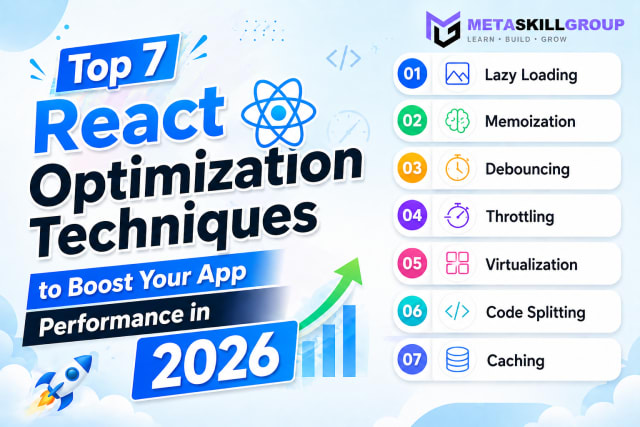 Top 7 React Optimization Techniques to Boost Your App Performance in 2026.Learn the top 7 React optimization techniques including Lazy Loading, Memoization, Debouncing, Throttling, Virtualization, Code Splitting, and Caching to build blazing fast React apps in 2026.
Need it built for you?
Built to the same standard as our client work.
If nothing here fits exactly, tell us what you need — our core developers build it. Requirements call first, a written SRS before any code, and a price agreed up front.