Collapsible Sidebar Navigation with Dark Mode Toggle
A fully responsive, collapsible sidebar component built with pure HTML, CSS, and vanilla JavaScript. Supports icon-only/expanded states, a persistent light-dark theme toggle (with system-preference detection), and an off-canvas mobile drawer — no frameworks required.
- Published 11 Sept 2026
- 47 views
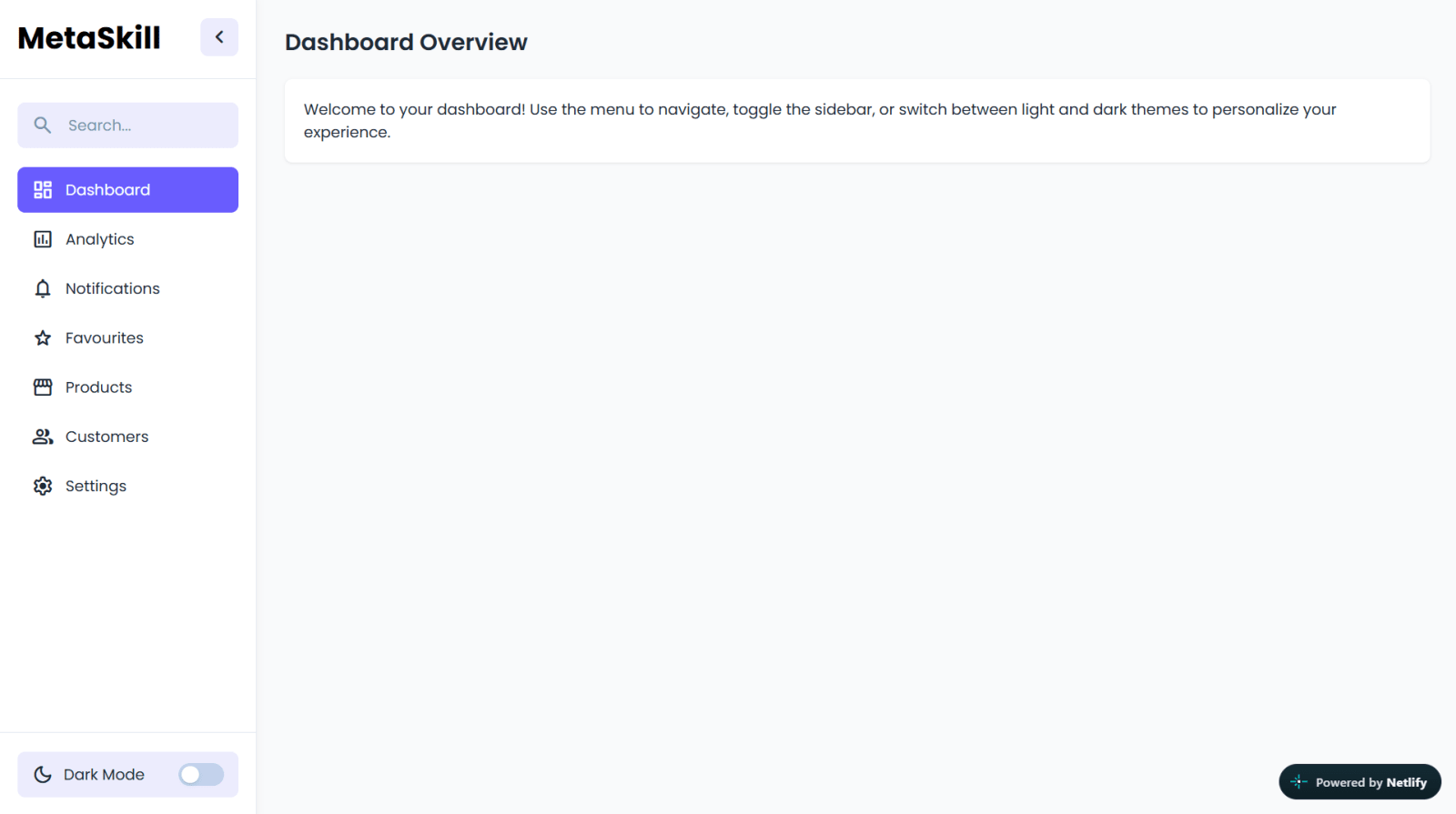
Overview
A fully responsive, collapsible sidebar navigation component with a persistent dark/light theme toggle — built entirely with HTML, CSS, and vanilla JavaScript, no frameworks required.
What's Included
- Collapsible sidebar (icon-only ⇄ icon+label states) with smooth transitions
- Dark/light theme toggle — saves preference in localStorage, detects system preference on first load
- Auto-expanding search input
- Fully responsive off-canvas mobile drawer (uses the modern CSS
:has()selector) - Active menu-item state, accessible semantic markup
Dependencies
Google Fonts — Material Symbols Rounded (icon font)
Add this
<link>tag in your<head>before your own stylesheet. https://fonts.googleapis.com/css2?family=Material+Symbols+Rounded:opsz,wght,FILL,GRAD@24,400,0,0
Desktop Preview

HTML
html1<!doctype html> 2<html lang="en"> 3 <head> 4 <meta charset="UTF-8" /> 5 <meta name="viewport" content="width=device-width, initial-scale=1.0" /> 6 <title>Sidebar Menu | MetaSkillGroup</title> 7 <link rel="stylesheet" href="style.css" /> 8 <!-- Linking Google fonts for icons --> 9 <link 10 rel="stylesheet" 11 href="https://fonts.googleapis.com/css2?family=Material+Symbols+Rounded:opsz,wght,FILL,GRAD@24,400,0,0" 12 /> 13 </head> 14 <body> 15 <!-- Navbar --> 16 <nav class="site-nav"> 17 <button class="sidebar-toggle"> 18 <span class="material-symbols-rounded">menu</span> 19 </button> 20 </nav> 21 <div class="container"> 22 <!-- Sidebar --> 23 <aside class="sidebar collapsed"> 24 <!-- Sidebar header --> 25 <div class="sidebar-header"> 26 <!-- <img src="logo.png" alt="CodingNepal" class="header-logo" /> --> 27 <h1 class="header-logo">MetaSkill</h1> 28 <button class="sidebar-toggle"> 29 <span class="material-symbols-rounded">chevron_left</span> 30 </button> 31 </div> 32 <div class="sidebar-content"> 33 <!-- Search Form --> 34 <form action="#" class="search-form"> 35 <span class="material-symbols-rounded">search</span> 36 <input type="search" placeholder="Search..." required /> 37 </form> 38 <!-- Sidebar Menu --> 39 <ul class="menu-list"> 40 <li class="menu-item"> 41 <a href="#" class="menu-link active"> 42 <span class="material-symbols-rounded">dashboard</span> 43 <span class="menu-label">Dashboard</span> 44 </a> 45 </li> 46 <li class="menu-item"> 47 <a href="#" class="menu-link"> 48 <span class="material-symbols-rounded">insert_chart</span> 49 <span class="menu-label">Analytics</span> 50 </a> 51 </li> 52 <li class="menu-item"> 53 <a href="#" class="menu-link"> 54 <span class="material-symbols-rounded">notifications</span> 55 <span class="menu-label">Notifications</span> 56 </a> 57 </li> 58 <li class="menu-item"> 59 <a href="#" class="menu-link"> 60 <span class="material-symbols-rounded">star</span> 61 <span class="menu-label">Favourites</span> 62 </a> 63 </li> 64 <li class="menu-item"> 65 <a href="#" class="menu-link"> 66 <span class="material-symbols-rounded">storefront</span> 67 <span class="menu-label">Products</span> 68 </a> 69 </li> 70 <li class="menu-item"> 71 <a href="#" class="menu-link"> 72 <span class="material-symbols-rounded">group</span> 73 <span class="menu-label">Customers</span> 74 </a> 75 </li> 76 <li class="menu-item"> 77 <a href="#" class="menu-link"> 78 <span class="material-symbols-rounded">settings</span> 79 <span class="menu-label">Settings</span> 80 </a> 81 </li> 82 </ul> 83 </div> 84 <!-- Sidebar Footer --> 85 <div class="sidebar-footer"> 86 <button class="theme-toggle"> 87 <div class="theme-label"> 88 <span class="theme-icon material-symbols-rounded">dark_mode</span> 89 <span class="theme-text">Dark Mode</span> 90 </div> 91 <div class="theme-toggle-track"> 92 <div class="theme-toggle-indicator"></div> 93 </div> 94 </button> 95 </div> 96 </aside> 97 <!-- Site main content --> 98 <div class="main-content"> 99 <h1 class="page-title">Dashboard Overview</h1> 100 <p class="card"> 101 Welcome to your dashboard! Use the menu to navigate, toggle the 102 sidebar, or switch between light and dark themes to personalize your 103 experience. 104 </p> 105 </div> 106 </div> 107 <script src="script.js"></script> 108 </body> 109</html> 110
CSS
css1/* Importing Google Fonts - Poppins */ 2@import url("https://fonts.googleapis.com/css2?family=Poppins:wght@400;500;600;700&display=swap"); 3* { 4 margin: 0; 5 padding: 0; 6 box-sizing: border-box; 7 font-family: "Poppins", sans-serif; 8} 9:root { 10 /* Light theme colors */ 11 --color-text-primary: #1f2936; 12 --color-text-placeholder: #798eae; 13 --color-bg-primary: #f9fafb; 14 --color-bg-secondary: #ececfd; 15 --color-bg-sidebar: #ffffff; 16 --color-border-hr: #e2e8f0; 17 --color-hover-primary: #695cfe; 18 --color-hover-secondary: #e2e2fb; 19 --color-shadow: rgba(0, 0, 0, 0.05); 20} 21body.dark-theme { 22 /* Dark theme colors */ 23 --color-text-primary: #f1f5f9; 24 --color-text-placeholder: #a6b7d2; 25 --color-bg-primary: #111827; 26 --color-bg-secondary: #3d4859; 27 --color-bg-sidebar: #1f2937; 28 --color-border-hr: #3b475c; 29 --color-hover-secondary: #48566a; 30 --color-shadow: rgba(0, 0, 0, 0.3); 31} 32body { 33 min-height: 100vh; 34 background: var(--color-bg-primary); 35} 36.sidebar { 37 position: sticky; 38 top: 0; 39 width: 270px; 40 height: 100vh; 41 display: flex; 42 flex-shrink: 0; 43 flex-direction: column; 44 background: var(--color-bg-sidebar); 45 border-right: 1px solid var(--color-border-hr); 46 box-shadow: 0 3px 9px var(--color-shadow); 47 transition: width 0.4s ease; 48} 49.sidebar.collapsed { 50 width: 90px; 51} 52.sidebar .sidebar-header { 53 padding: 20px 18px; 54 display: flex; 55 position: relative; 56 align-items: center; 57 justify-content: space-between; 58 border-bottom: 1px solid var(--color-border-hr); 59} 60.sidebar-header .header-logo { 61 width: 46px; 62 height: 46px; 63 display: block; 64 object-fit: contain; 65 border-radius: 50%; 66 transition: opacity 0.4s ease; 67} 68.sidebar.collapsed .header-logo { 69 opacity: 0; 70 pointer-events: none; 71} 72.site-nav .sidebar-toggle, 73.sidebar-header .sidebar-toggle { 74 height: 40px; 75 width: 40px; 76 border: none; 77 cursor: pointer; 78 display: flex; 79 position: absolute; 80 right: 18px; 81 align-items: center; 82 justify-content: center; 83 border-radius: 8px; 84 color: var(--color-text-primary); 85 background: var(--color-bg-secondary); 86 transition: 0.4s ease; 87} 88.site-nav .sidebar-toggle:hover, 89.sidebar-header .sidebar-toggle:hover { 90 background: var(--color-hover-secondary); 91} 92.sidebar.collapsed .sidebar-header .sidebar-toggle { 93 transform: translateX(-2px); 94 height: 48px; 95 width: 50px; 96} 97.sidebar-header .sidebar-toggle span { 98 font-size: 1.75rem; 99 transition: transform 0.4s ease; 100} 101.sidebar.collapsed .sidebar-toggle span { 102 transform: rotate(180deg); 103} 104.sidebar .sidebar-content { 105 flex: 1; 106 padding: 20px 18px; 107 overflow: hidden auto; 108 scrollbar-width: thin; 109 scrollbar-color: var(--color-text-placeholder) transparent; 110} 111.sidebar.collapsed .sidebar-content { 112 scrollbar-width: none; 113} 114.sidebar-content .search-form { 115 border-radius: 8px; 116 min-height: 48px; 117 margin: 5px 0 20px; 118 align-items: center; 119 display: flex; 120 padding: 0 15px; 121 white-space: nowrap; 122 background: var(--color-bg-secondary); 123 transition: 0.4s ease; 124} 125.sidebar.collapsed .search-form:hover { 126 cursor: pointer; 127} 128.sidebar-content .search-form:focus-within, 129.sidebar.collapsed .search-form:hover { 130 background: var(--color-hover-secondary); 131} 132.sidebar-content .search-form span { 133 color: var(--color-text-placeholder); 134} 135.search-form input { 136 background: none; 137 outline: none; 138 border: none; 139 width: 100%; 140 margin-left: 15px; 141 font-size: 1rem; 142 color: var(--color-text-primary); 143} 144.search-form input::placeholder { 145 color: var(--color-text-placeholder); 146} 147.sidebar-content .menu-list { 148 display: flex; 149 gap: 4px; 150 list-style: none; 151 flex-direction: column; 152} 153.menu-list .menu-link { 154 display: flex; 155 gap: 12px; 156 white-space: nowrap; 157 border-radius: 8px; 158 padding: 12px 15px; 159 align-items: center; 160 text-decoration: none; 161 color: var(--color-text-primary); 162 transition: 0.3s ease; 163} 164.menu-link .menu-label { 165 transition: opacity 0.3s ease; 166} 167.sidebar.collapsed .menu-link .menu-label { 168 opacity: 0; 169 pointer-events: none; 170} 171.menu-list .menu-link:is(:hover, .active) { 172 color: #fff; 173 background: var(--color-hover-primary); 174} 175.sidebar .sidebar-footer { 176 padding: 20px 18px; 177 white-space: nowrap; 178 border-top: 1px solid var(--color-border-hr); 179} 180.sidebar-footer .theme-toggle { 181 width: 100%; 182 min-height: 48px; 183 border-radius: 8px; 184 display: flex; 185 align-items: center; 186 cursor: pointer; 187 border: none; 188 padding: 0 15px; 189 white-space: nowrap; 190 color: var(--color-text-primary); 191 background: var(--color-bg-secondary); 192 transition: 0.3s ease; 193} 194.sidebar-footer .theme-toggle:hover { 195 background: var(--color-hover-secondary); 196} 197.theme-toggle .theme-label { 198 display: flex; 199 gap: 10px; 200 align-items: center; 201} 202.theme-toggle .theme-label .theme-text { 203 font-size: 1rem; 204 transition: opacity 0.4s 0.2s ease; 205} 206.sidebar.collapsed .theme-toggle :where(.theme-text, .theme-toggle-track) { 207 opacity: 0; 208 width: 0; 209 transition: all 0.2s ease; 210} 211.theme-toggle .theme-toggle-track { 212 height: 24px; 213 width: 48px; 214 border-radius: 999px; 215 margin-left: auto; 216 background: #c3d1ec; 217 position: relative; 218 transition: 219 opacity 0.4s 0.2s ease, 220 background-color 0.3s ease; 221} 222body.dark-theme .theme-toggle-track { 223 background: #695cfe; 224} 225.theme-toggle-track .theme-toggle-indicator { 226 position: absolute; 227 top: 3px; 228 left: 3px; 229 width: 18px; 230 height: 18px; 231 border-radius: 50%; 232 background-color: #fff; 233 box-shadow: 0 2px 4px rgba(0, 0, 0, 0.1); 234 transition: transform 0.3s ease; 235} 236body.dark-theme .theme-toggle-indicator { 237 transform: translateX(24px); 238} 239.site-nav { 240 top: 0; 241 display: none; 242 padding: 15px 20px; 243 position: sticky; 244 background: var(--color-bg-primary); 245 border-bottom: 1px solid var(--color-border-hr); 246} 247.site-nav .sidebar-toggle { 248 position: unset; 249} 250.container { 251 display: flex; 252} 253.container .main-content { 254 flex: 1; 255 padding: 30px; 256 color: var(--color-text-primary); 257} 258.main-content .page-title { 259 font-size: 1.5rem; 260 font-weight: 600; 261 margin-bottom: 20px; 262} 263.main-content .card { 264 border-radius: 8px; 265 padding: 20px; 266 background-color: var(--color-bg-sidebar); 267 box-shadow: 0 1px 3px rgba(0, 0, 0, 0.1); 268} 269/* Responsive media query code for small screens */ 270@media (max-width: 768px) { 271 body::before { 272 content: ""; 273 position: fixed; 274 inset: 0; 275 z-index: 10; 276 opacity: 0; 277 pointer-events: none; 278 background: rgba(0, 0, 0, 0.6); 279 transition: 0.4s ease; 280 } 281 body:has(.sidebar:not(.collapsed))::before { 282 opacity: 1; 283 pointer-events: auto; 284 } 285 body:has(.sidebar:not(.collapsed)) { 286 overflow: hidden; 287 } 288 .site-nav { 289 display: block; 290 } 291 .sidebar { 292 position: fixed; 293 top: 0; 294 left: 0; 295 height: 100%; 296 z-index: 20; 297 width: 270px; 298 transition: left 0.4s ease; 299 } 300 .sidebar.collapsed { 301 left: -270px; 302 width: 270px; 303 } 304 .container .main-content { 305 padding: 30px 20px; 306 } 307}
JS
javascript1const sidebarToggleBtns = document.querySelectorAll(".sidebar-toggle"); 2const sidebar = document.querySelector(".sidebar"); 3const searchForm = document.querySelector(".search-form"); 4const themeToggleBtn = document.querySelector(".theme-toggle"); 5const themeIcon = themeToggleBtn.querySelector(".theme-icon"); 6const menuLinks = document.querySelectorAll(".menu-link"); 7// Updates the theme icon based on current theme and sidebar state 8const updateThemeIcon = () => { 9 const isDark = document.body.classList.contains("dark-theme"); 10 themeIcon.textContent = sidebar.classList.contains("collapsed") 11 ? isDark 12 ? "light_mode" 13 : "dark_mode" 14 : "dark_mode"; 15}; 16// Apply dark theme if saved or system prefers, then update icon 17const savedTheme = localStorage.getItem("theme"); 18const systemPrefersDark = window.matchMedia( 19 "(prefers-color-scheme: dark)", 20).matches; 21const shouldUseDarkTheme = 22 savedTheme === "dark" || (!savedTheme && systemPrefersDark); 23document.body.classList.toggle("dark-theme", shouldUseDarkTheme); 24updateThemeIcon(); 25// Toggle between themes on theme button click 26themeToggleBtn.addEventListener("click", () => { 27 const isDark = document.body.classList.toggle("dark-theme"); 28 localStorage.setItem("theme", isDark ? "dark" : "light"); 29 updateThemeIcon(); 30}); 31// Toggle sidebar collapsed state on buttons click 32sidebarToggleBtns.forEach((btn) => { 33 btn.addEventListener("click", () => { 34 sidebar.classList.toggle("collapsed"); 35 updateThemeIcon(); 36 }); 37}); 38// Expand the sidebar when the search form is clicked 39searchForm.addEventListener("click", () => { 40 if (sidebar.classList.contains("collapsed")) { 41 sidebar.classList.remove("collapsed"); 42 searchForm.querySelector("input").focus(); 43 } 44}); 45// Expand sidebar by default on large screens 46if (window.innerWidth > 768) sidebar.classList.remove("collapsed");
Built by MetaSkillGroup.
Features
Collapsible sidebar — toggles between icon-only and icon+label states with smooth transition
Dark/light theme toggle with localStorage persistence and system-preference (prefers-color-scheme) detection on first visit
Search input auto-expands the sidebar when clicked
Fully responsive — becomes an off-canvas slide-in drawer with overlay below 768px, using the modern CSS :has() selector
Active menu-item highlighting
Built with accessible, semantic <button> elements for all interactive controls
Built With
HTML5
CSS3
JavaScript
Compatibility

Written by
Ankul Agarwal
Guides from our blog
 Frontend Developer Roadmap 2026: A Step-by-Step Guide for BeginnersA simple, step-by-step frontend developer roadmap for 2026. Learn HTML, CSS, JavaScript, Git, React, TypeScript and Next.js in the right order, with a 6-month study plan, beginner projects, free resources and a checklist for your first frontend internship.
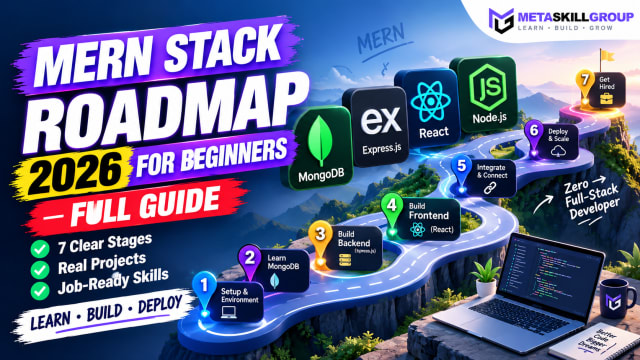 MERN Stack Roadmap for Beginners 2026: A Step-by-Step Guide to Becoming a Full-Stack DeveloperConfused about where to start with MERN? This step-by-step MERN stack roadmap for 2026 takes you from zero to your first full-stack project. Learn JavaScript, Node.js, Express, MongoDB and React in the right order, with a clear timeline, milestone projects, common mistakes and tips to learn faster with AI tools.
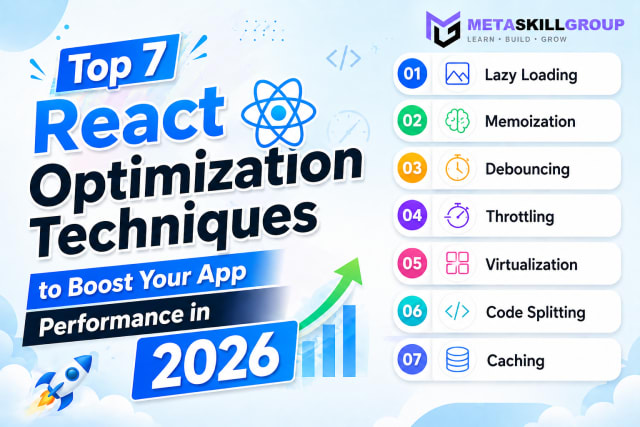 Top 7 React Optimization Techniques to Boost Your App Performance in 2026.Learn the top 7 React optimization techniques including Lazy Loading, Memoization, Debouncing, Throttling, Virtualization, Code Splitting, and Caching to build blazing fast React apps in 2026.
Need it built for you?
Built to the same standard as our client work.
If nothing here fits exactly, tell us what you need — our core developers build it. Requirements call first, a written SRS before any code, and a price agreed up front.