SecurityDevOps & GitWeb Development
What Is a CVE? CVE, CVSS Scores and Zero-Days Explained for Developers
CVE and CVSS explained in plain words for students and developers: how to read a CVE ID, who assigns them, what CVSS 4.0 scores mean, terms like RCE, zero-day and KEV, the life of a CVE, real examples from PHP2Shell and Node2Shell, and how to check your projects with npm audit, composer audit, pip-audit and Dependabot.

MetaSkillGroup
12 min read16

Security news is full of codes like CVE-2026-109618, scores like 9.2 and words like zero-day and KEV. If you have ever read a headline and wondered what any of it means for your own project, this guide is for you. We explain each term in plain words, using two real bugs from October 2026, PHP2Shell and Node2Shell, as examples. At the end you will have a simple routine to keep your projects safe.
💡 Quick answer: A CVE is a public ID number for one known security bug, such as CVE-2026-111497. A CVSS score rates how dangerous that bug is, from 0 to 10: 0.1–3.9 is low, 4.0–6.9 medium, 7.0–8.9 high and 9.0–10.0 critical. Developers use CVE IDs to check whether their software is affected and CVSS scores to decide what to fix first. Tools like
npm audit,composer audit,pip-auditand GitHub Dependabot check your project's dependencies for known CVEs automatically.
💡 Who is this guide for? Students and beginner developers who want to understand security advisories and keep their projects updated, whatever language they use.
In this guide:
- What Is a CVE?
- How to Read a CVE ID
- Who Gives Out CVE IDs?
- What Is a CVSS Score?
- Security Words You Will See Often
- The Life of a CVE
- Two Real Examples from October 2026
- Why Your Project Has CVEs You Never Wrote
- How to Check Your Projects for CVEs
- A Simple Security Routine for Student Developers
- Where to Follow Security News
What Is a CVE?
CVE stands for Common Vulnerabilities and Exposures. It is a public list of known security bugs, and each bug in it gets its own ID, like CVE-2026-109618.
The ID matters because it gives everyone the same name for the same bug. A PHP developer in India, a hosting company in Germany and a security scanner in the US can all say "CVE-2026-109618" and know they mean exactly the same problem. Without it, every company would describe the bug in its own words, and nobody could be sure they were talking about the same thing.
A CVE record is short. It usually includes:
- The ID
- A one-line description of the bug
- The affected products and versions
- Links to the official advisory and the fix
The CVE Program started in 1999 and is run by the MITRE Corporation, with support from the US Cybersecurity and Infrastructure Security Agency (CISA).
How to Read a CVE ID
Every CVE ID has three parts:
text1CVE - 2026 - 109618 2 │ │ └── sequence number (4 or more digits) 3 │ └────────── year the ID was assigned or the bug was made public 4 └──────────────── always "CVE"
Two things surprise beginners:
- The year is not always when the bug was found. It is usually the year the ID was reserved. A bug found in December can get the next year's ID if that is when it is reported.
- A bigger number does not mean a worse bug. The sequence number is just a counter. CVE-2026-106070 (low severity) and CVE-2026-111497 (scored 9.2) were fixed in the same Node.js release.
Who Gives Out CVE IDs?
CVE IDs are given out by CNAs (CVE Numbering Authorities). These are organisations that the CVE Program allows to assign IDs, usually for their own products. Big software companies, open-source foundations, Linux distributions and platforms like GitHub are CNAs.
Other organisations then add more information. The NVD (National Vulnerability Database), run by NIST in the US, adds scores and product details. Security companies publish their own analysis, and vendors publish advisories with the fix.
When a CVE appears in your terminal or in a GitHub alert, it has usually passed through all of these steps.
What Is a CVSS Score?
CVSS stands for Common Vulnerability Scoring System. It gives each bug a score from 0.0 to 10.0 based on questions like:
- Can the attacker reach the bug over the internet?
- Do they need an account or a password?
- Does a user have to click something?
- What can they do after a successful attack: read data, change it, or crash the system?
The latest version, CVSS 4.0, was published by the organisation FIRST in November 2023. The score falls into one of five bands:
| Score | Severity | What it usually means |
|---|---|---|
| 0.0 | None | Not a real security risk |
| 0.1 – 3.9 | Low | Hard to exploit or very limited damage |
| 4.0 – 6.9 | Medium | Real risk, but needs special conditions |
| 7.0 – 8.9 | High | Serious; plan the update soon |
| 9.0 – 10.0 | Critical | Easy to attack remotely with big damage; update now |

Figure 1: The CVSS severity bands. Both PHP2Shell and Node2Shell scored 9.2, in the critical band.
💡 Pro Tip: CVSS shows how bad a bug can be, not how risky it is for you. A critical bug in a feature you never use matters less than a medium bug in your login page. Always ask, "Does my app use the affected part?"
Security Words You Will See Often
| Term | Plain meaning |
|---|---|
| Vulnerability | A bug that an attacker can use to do something they should not be able to do |
| Exploit | Code or steps that use a vulnerability |
| Proof of concept (PoC) | A simple exploit that shows the bug is real |
| RCE (Remote Code Execution) | The attacker can run their own code on your server over the network. Usually the worst kind of bug |
| Unauthenticated | No login is needed to attack |
| Zero-day | A bug attackers use before a fix exists |
| Patch | The code change or update that fixes a bug |
| Backport | A fix copied into an older version, often without changing its version number |
| EOL (End of Life) | A version that no longer gets any fixes |
| Advisory | The official notice from a vendor explaining the bug and the fix |
| GHSA | A GitHub Security Advisory ID, such as GHSA-w8hw-w9fx-j79w |
| KEV | CISA's Known Exploited Vulnerabilities catalog: bugs with evidence of real attacks |
The KEV catalog is especially useful. Tens of thousands of CVEs are published every year, and only a small share are ever used in real attacks. When a bug appears in KEV, it means attackers are actually using it, so it should go to the top of your list.
The Life of a CVE
Most serious bugs follow a similar path from discovery to fix:

Figure 2: The usual path of a security bug, from discovery to update.
- Found. A researcher, a user or the project's own team finds the bug.
- Reported privately. They tell the project's security team, not the public, so attackers do not learn about it first. This is called responsible or coordinated disclosure.
- Fixed. The team builds and tests a fix, often with Linux distributions and big vendors, so patched packages are ready on day one.
- Published. The project releases the fixed version and publishes an advisory, and the CVE record goes public.
- Updated. Users install the fix. This is the step that depends on you.
- Attacked. Once details are public, attackers try the bug on servers that have not updated. If this happens widely, the bug is added to KEV.
Sometimes the order breaks. In October 2026, details of PHP2Shell leaked online before the planned announcement, so the PHP team moved the release forward by a day.
Two Real Examples from October 2026
| PHP2Shell | Node2Shell | |
|---|---|---|
| CVE IDs | CVE-2026-109618 and CVE-2026-109619 | CVE-2026-111497 |
| Where the bug was | The PHP engine | The Brotli decoder bundled in Node.js |
| CVSS | 9.2, critical | 9.2 (Akamai); Node.js rates it high |
| Login needed? | No | No |
| Fixed versions | PHP 8.5.12, 8.4.27, 8.3.36, 8.2.35 | Node.js 26.12.1, 24.22.1, 22.23.4 |
| Added to KEV | 26 October 2026 | 27 October 2026 |
| Full explainer | PHP2Shell explained | Node.js October 2026 release |
Both bugs follow the same pattern: critical score, no login needed, quick official fixes, and real attacks within days. In both cases, the people who stayed safe were the ones who updated quickly.
Why Your Project Has CVEs You Never Wrote
You might think, "My code is small, so it cannot have CVEs." But your project is much more than the code you wrote:
- Your dependencies. A typical React or Express project installs hundreds of npm packages. A bug in any of them is a bug in your app.
- Your runtime. PHP, Node.js and Python themselves can have bugs, as October 2026 showed.
- Bundled libraries. Many projects copy small libraries into their own code. The Brotli decoder behind Node2Shell was also inside Python packages, Bun, proxies like Envoy and PHP's Windows builds. Each copy needed its own update.
- Your operating system and Docker base images, which contain their own libraries.
This is why security is not only about writing careful code. It is also about keeping everything around your code up to date.
How to Check Your Projects for CVEs
Every major ecosystem has a free tool that compares your dependencies against known CVEs:
| Ecosystem | Command | What it checks |
|---|---|---|
| Node.js (npm) | npm audit | Packages in package-lock.json |
| PHP (Composer) | composer audit | Packages in composer.lock |
| Python (pip) | pip-audit | Installed packages or requirements.txt |
| Any GitHub repo | Dependabot alerts | Your lock files, automatically, on every push |
For npm, a typical session looks like this:
bash1npm audit # list known vulnerabilities 2npm audit fix # update to safe versions where possible 3npm audit --omit=dev # only check packages used in production
On GitHub, open your repository's Settings, find the Dependabot options in the security section, and turn on Dependabot alerts and Dependabot security updates. Dependabot will then open pull requests that update unsafe packages for you.
💡 Pro Tip: These tools check your packages, not your runtime.
npm auditcould not warn anyone about Node2Shell, because the bug was inside Node.js itself. Checknode -v,php -vandpython --versionagainst the latest security releases too.
A Simple Security Routine for Student Developers
You do not need to be a security expert to stay safe. A small, regular routine is enough:
Every week
- Merge Dependabot pull requests after a quick check that the build still passes.
Every month
- Run
npm audit,composer auditorpip-auditon your active projects. - Check that your runtime (Node.js, PHP or Python) is on a supported version with the latest patch.
When a big security release comes out
- Read the official advisory and check whether your version is affected.
- Update, restart your app and rebuild your Docker images.
- Check your deployments' build logs for the version actually used.
Always
- Never commit passwords or API keys. Keep them in
.envfiles that are listed in.gitignore. - Remove projects and servers you no longer use, because forgotten apps rarely get updates.
Our guide to updating Node.js on Windows, Mac and Linux has the exact commands for the runtime part of this routine.
Where to Follow Security News
Official sources are faster and more accurate than social media posts:
- Node.js: the Node.js vulnerability blog
- PHP: the news section on php.net
- Your packages: GitHub Security Advisories and Dependabot alerts
- Real attacks: the CISA KEV catalog
- Your operating system: your Linux distribution's security notices
You do not need to read every advisory. Follow the projects you actually use, and act quickly on anything that is critical, in KEV, or both.
Final Thoughts
A CVE is just a shared name for a security bug, and a CVSS score tells you how serious it can be. With those two ideas, security news becomes much easier to read: find the CVE, check if your version is affected, look at the score and the KEV status, and update. Tools like npm audit and Dependabot handle your packages, and a regular check of node -v or php -v handles your runtime.
Good security habits are one of the things that make a developer trustworthy in a team. If you want to build those habits on real projects with code reviews, you can do a free internship at MetaSkillGroup. Our online developer internship is open all year in six tracks, including backend development. It takes about 2 minutes to apply, and your first exam attempt is free.
- #cve
- #cvss
- #web security
- #vulnerability
- #npm audit
- #dependabot
- #security for beginners
- #backend
Related posts
 PHP2Shell Explained: How to Check and Fix CVE-2026-109618 and CVE-2026-109619PHP2Shell explained in simple words: what the two critical PHP bugs CVE-2026-109618 and CVE-2026-109619 are, who is affected, the fixed PHP versions, step-by-step update commands for Ubuntu, Debian, RHEL, Docker, Windows and cPanel, temporary steps if you cannot update today, and the signs of an attack to check.
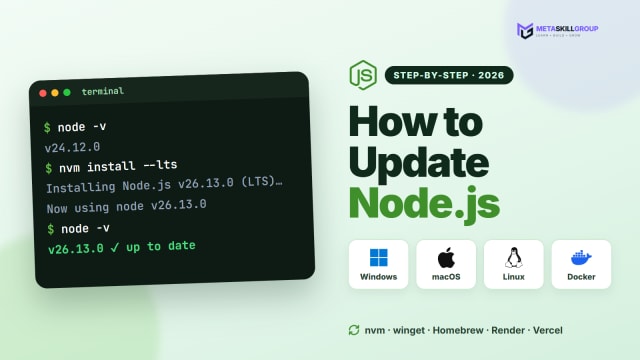 How to Update Node.js to the Latest Version (Windows, Mac and Linux)A step-by-step guide to updating Node.js: check your version, choose between LTS and Current, update on Windows (installer, winget, nvm-windows), macOS (nvm, Homebrew) and Linux (nvm, NodeSource), rebuild Docker images, set the version on Render and Vercel, and fix the most common update problems.
 Node2Shell and the Node.js October 2026 Security Release: What to UpdateThe Node.js security release of 21 October 2026 explained: what Node2Shell (CVE-2026-111497, a Brotli decoder bug) is, how it reaches apps through fetch(), zlib and Express 5, a plain-English table of all 10 CVEs, the fixed versions 26.12.1, 24.22.1 and 22.23.4, and how to update laptops, Docker images and hosting platforms.
❓ FAQs
A CVE (Common Vulnerabilities and Exposures) is a public ID for one known security bug, such as CVE-2026-111497. It gives everyone the same name for the same bug, so developers, vendors and security tools can all check whether they are affected.
A CVE is the bug's ID and description. CVSS (Common Vulnerability Scoring System) is a score from 0 to 10 that rates how dangerous the bug is. One tells you which bug, the other tells you how serious it can be.
In CVSS 4.0, scores from 9.0 to 10.0 are critical, 7.0 to 8.9 high, 4.0 to 6.9 medium, 0.1 to 3.9 low and 0.0 none. PHP2Shell and Node2Shell both scored 9.2, which is critical.
It is usually the year the ID was reserved or the bug was made public, not always the year it was found. The number after it is only a counter, so a bigger number does not mean a worse bug.
CVE Numbering Authorities (CNAs), which are organisations allowed by the CVE Program to assign IDs, often for their own products. The program is run by MITRE with support from CISA, and the NVD at NIST adds scores and product details.
A zero-day is a bug that attackers use before a fix exists, so defenders have had zero days to patch it. Once a fix is released, the main risk shifts to systems that have not updated yet.
The Known Exploited Vulnerabilities catalog is a list kept by the US agency CISA of bugs with evidence of real attacks. If a CVE that affects you is in KEV, fix it first.
Use the free tool for your ecosystem: npm audit for Node.js, composer audit for PHP and pip-audit for Python. On GitHub, turn on Dependabot alerts and security updates to get automatic pull requests for unsafe packages.
No. It only checks the packages in your package-lock.json. Bugs in the runtime itself, like Node2Shell in Node.js, are not reported, so also keep Node.js, PHP or Python on a supported, patched version.
RCE means Remote Code Execution: an attacker can run their own code on your server over the network. It is usually the most serious kind of vulnerability, especially when no login is needed.
Comments
Join the conversation
Login to post comments and replies
No comments yet. Be the first!