3D Animated Developer Portfolio – React, Three.js & GSAP Template
A personal portfolio that people actually remember. This React + Vite template opens with a particle loader that forms your name, then drops visitors into a scene where a hand-styled 3D anime character sits at a desk, types, blinks and follows their cursor. As they scroll, the camera pulls back, the monitor lights up and every section reveals itself with smooth GSAP animations. You also get a pinned horizontal project gallery, a zero-gravity physics tech stack, a waving 3D avatar and an interactive globe in the contact section. All of the text lives in one data file, so making it yours takes minutes, not days.
- Published 29 Sept 2026
- 5 views
Overview
Most developer portfolios look the same: a headline, a grid of cards and a contact form. This one is built to be different. It's a full single-page portfolio made with React, Three.js and GSAP, where every section moves, reacts and tells your story as the visitor scrolls.
You don't need to be a 3D expert to use it. All of your content (name, bio, skills, experience, projects and links) lives in one TypeScript file. Change that file, swap a few images, and the whole site updates.
Highlights
- Particle loading screen: thousands of glowing particles swirl in and form your name while the site loads, then burst towards the screen when it's ready.
- Interactive 3D character: an anime-style (cel-shaded) character sits at a desk and types. It blinks, turns its head to follow your cursor and raises its eyebrows when you hover over its face.
- Cinematic scroll: as you scroll, the character turns, the camera pulls back and a monitor rises onto the desk with a flickering screen glow.
- Waving 3D avatar: the same character appears again, standing and waving hello in the Education section.
- Horizontal project gallery: the Work section pins to the screen and scrolls sideways. Cards swing in from the depth and tilt towards your cursor.
- Physics tech stack: your tools float as 3D balls in zero gravity, and you can push them around with your mouse.
- 3D globe: a dotted, rotating globe marks your home city, with arcs going out to cities around the world.
- Smooth everything: buttery smooth scrolling, a custom cursor, magnetic social icons, animated counters and text that reveals letter by letter.
- One-file content: edit
src/data/portfolio.tsand you're done. - Fully responsive: it scrolls smoothly on phones and tablets too.
A Tour of the Website
Here's what visitors see as they scroll from top to bottom.
1. Loading Screen
The first thing visitors see is a dark screen filled with a slowly rotating nebula of particles. As the 3D assets download, the particles pull together to spell your name. A large counter at the bottom goes from 000 to 100, and it shows real loading progress, not a fake timer. When everything is ready, the particles explode towards the camera and the site fades in.
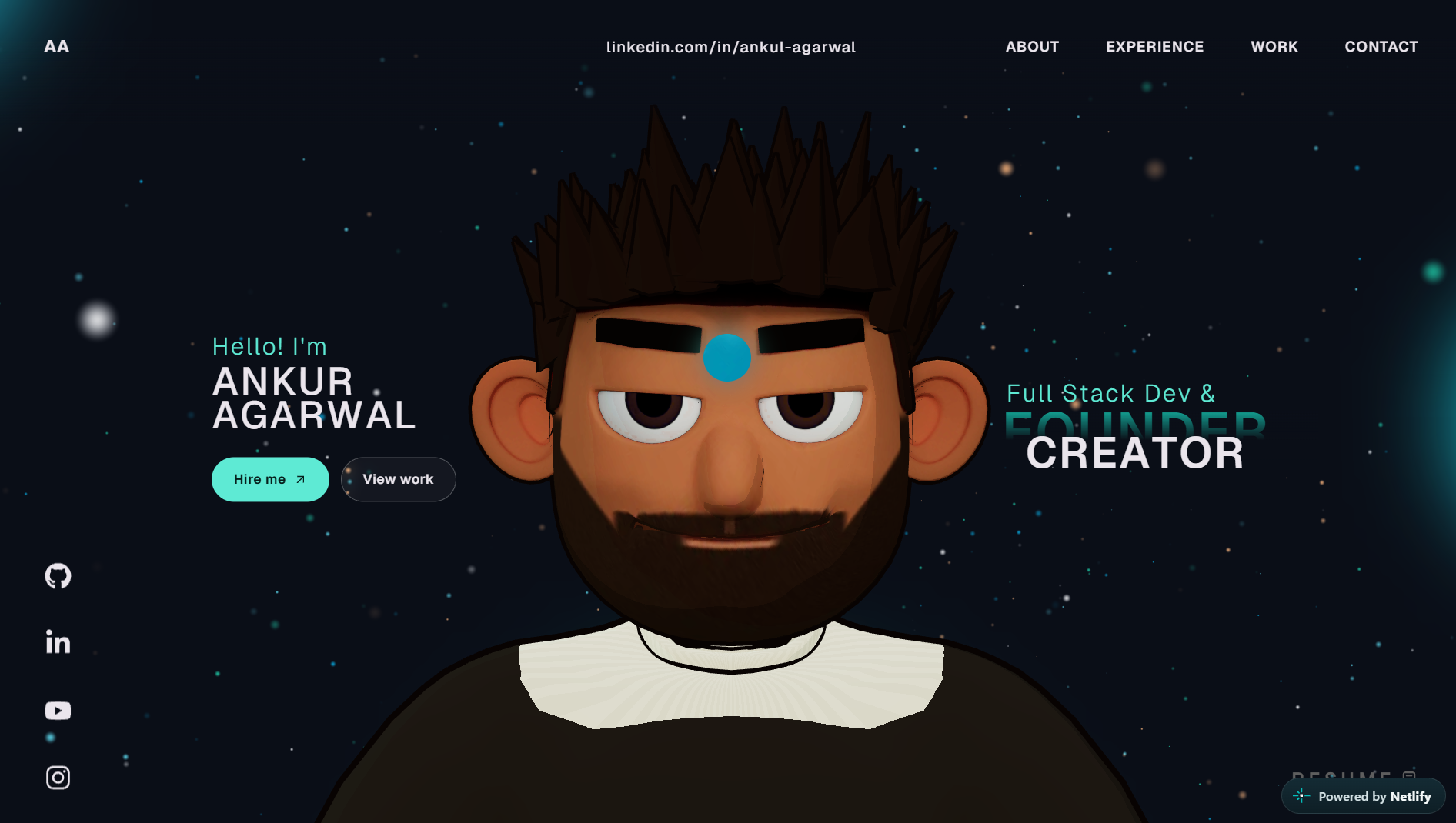
2. Hero Section
Your name appears in large type, letter by letter, with a soft blur-in effect. Beside it, your role keeps switching (for example, "Founder" and "Creator") with a smooth rolling animation. Two buttons, Hire me and View work, scroll straight to the right section.
In the middle, the 3D character sits at a desk and types. Move your mouse and its head follows you. Hover over its face and the eyebrows go up. Behind everything, a field of tiny stars drifts upward and shifts slightly as you move your cursor.
On the edges you'll find:
- A navigation bar with smooth-scroll links
- A social icon bar on the left, where the icons are "magnetic" and lean towards your cursor
- A Resume button that opens your CV
- A thin scroll progress bar at the top
3. About Me
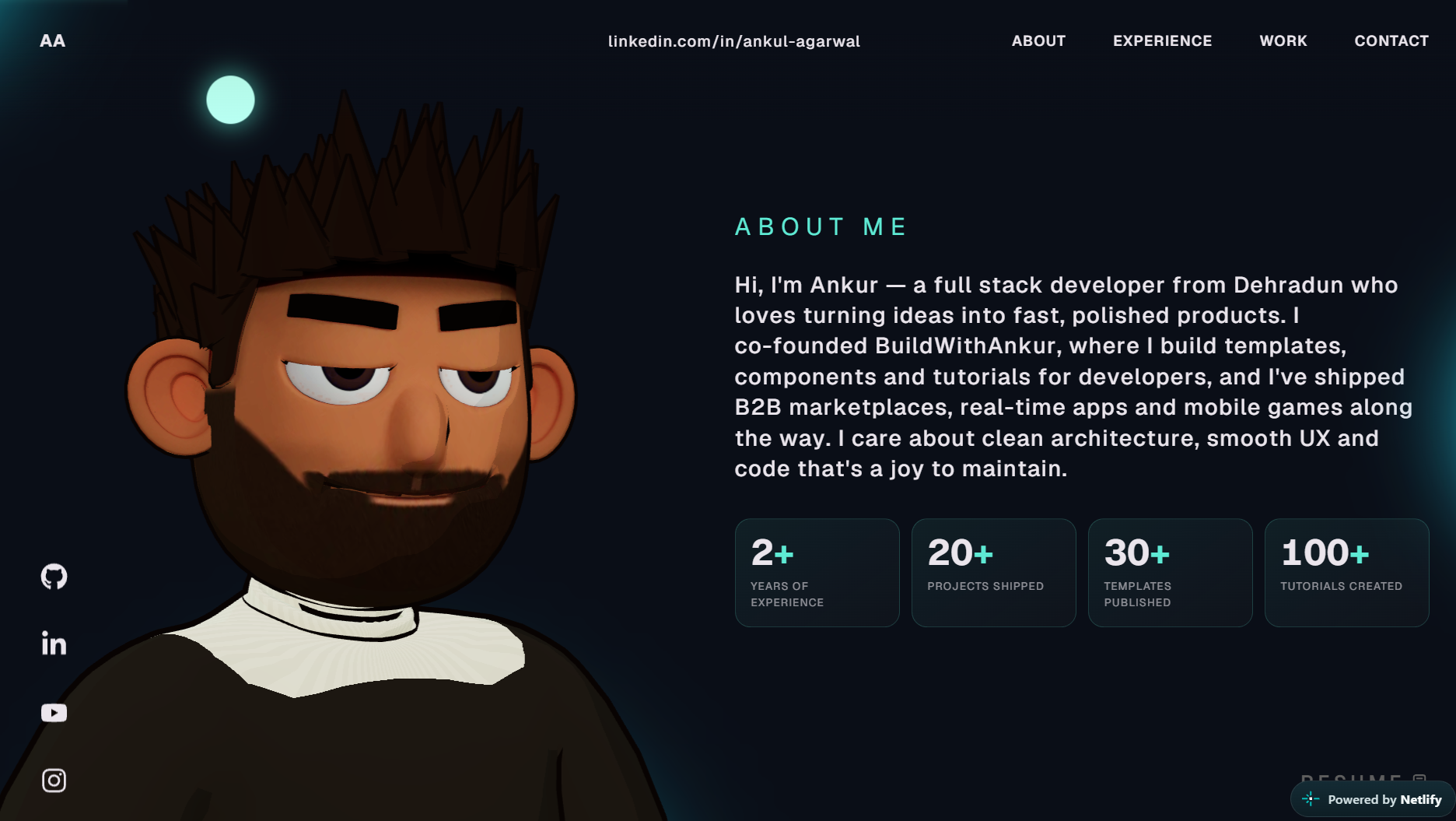
As you scroll down, the character turns and slides to the side, and your bio appears word by word. Below it, four stat counters (years of experience, projects shipped and so on) count up from zero when they come into view.
4. What I Do
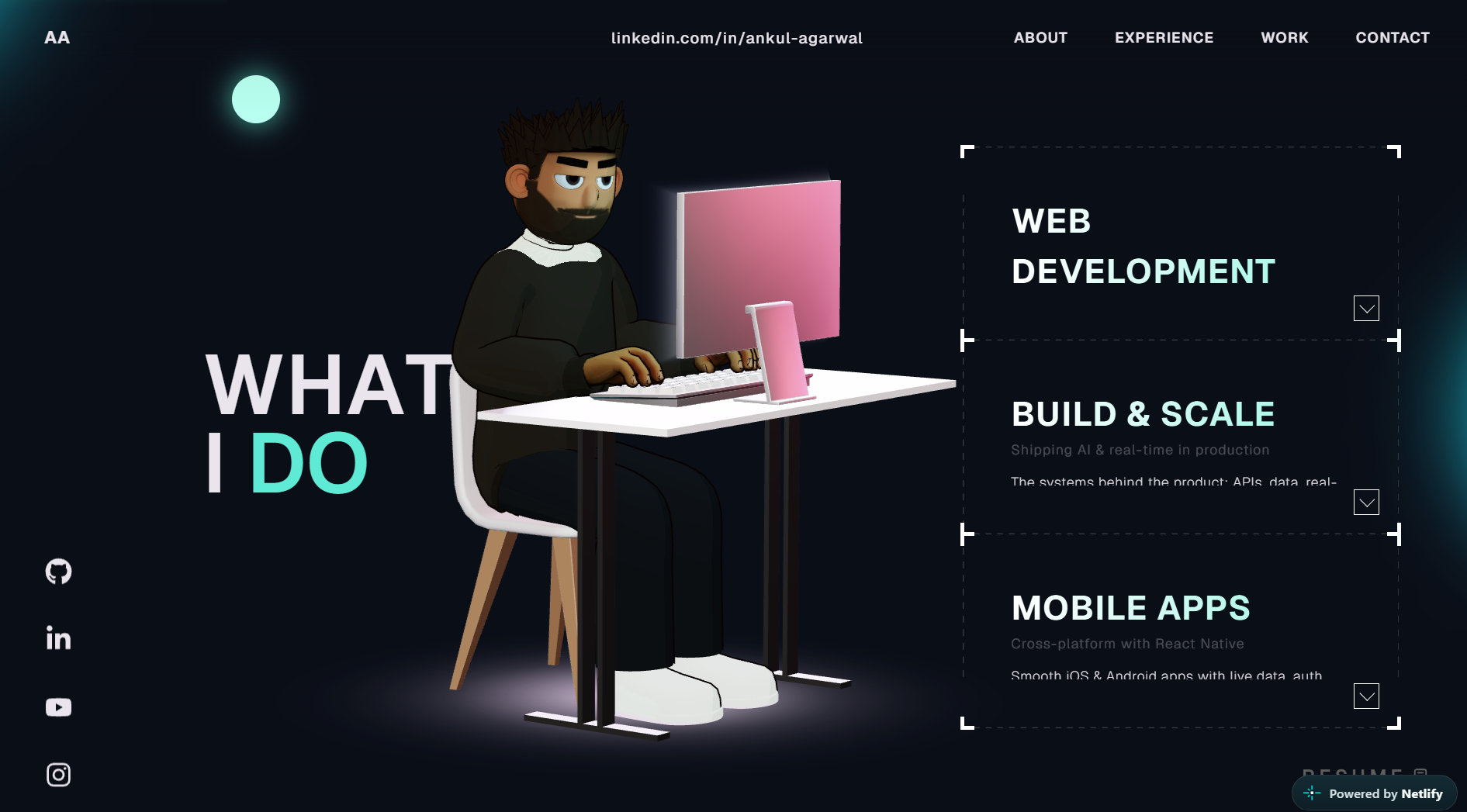
The camera pulls back to show the full desk as a monitor rises into place with a glowing, flickering screen. Next to it, three service cards sit inside a dashed-line frame. Hover over a card and it expands to show a short description and a list of skill tags.
5. Career & Experience
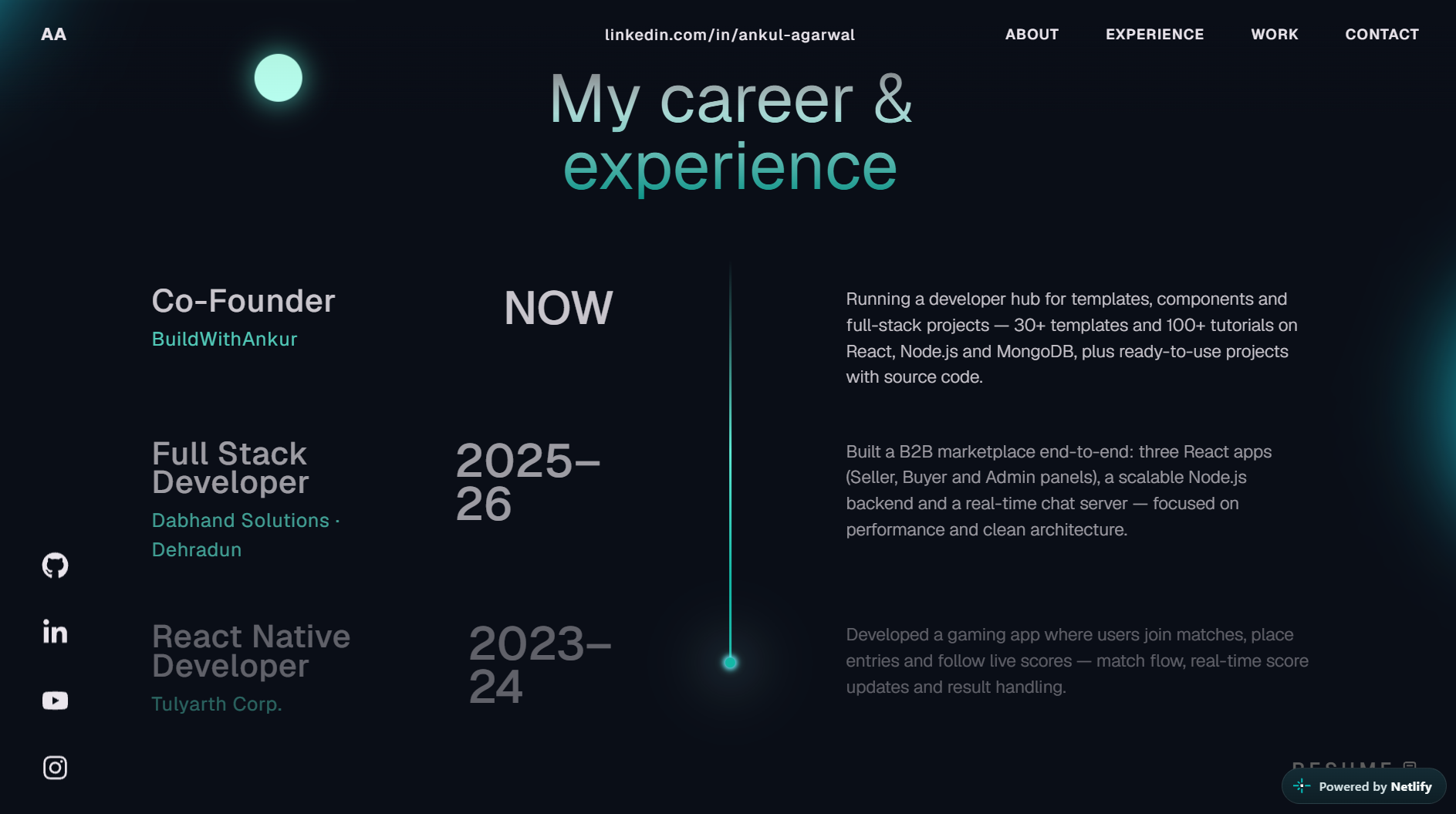
A vertical timeline grows as you scroll, with a glowing dot pulsing at the top. Each job shows the role, the company, the time period and a short description, and they fade in one after another.
6. Education (with the Waving Avatar)
This section brings the character back, this time standing on a soft glowing floor. It breathes, shifts its weight, follows your cursor with its head and waves hello every few seconds. Below the avatar there's your name, location and an "available for work" badge with a live dot.
On the right, education cards slide in one by one while a connecting line draws itself down the page.
7. Selected Work
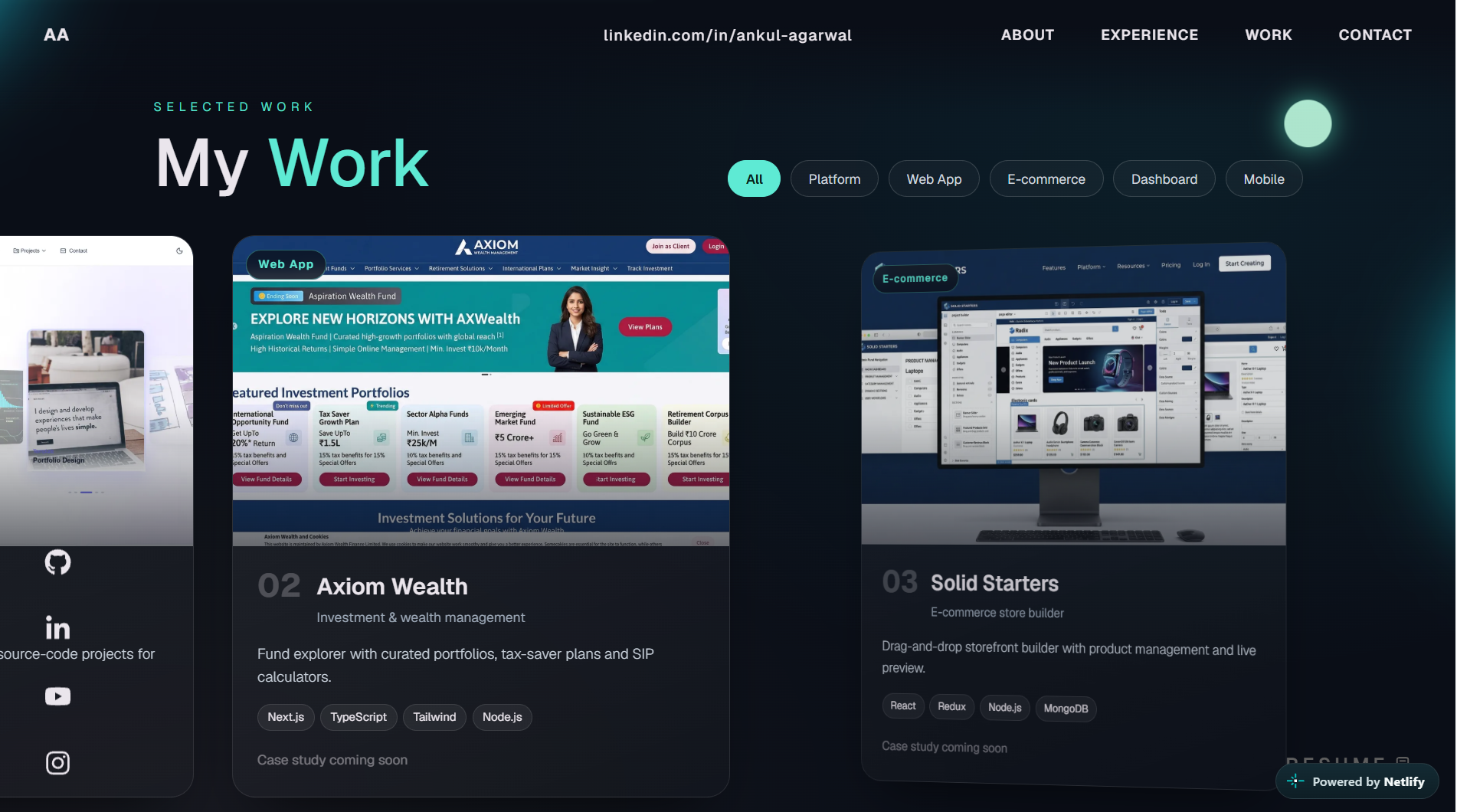
The Work section locks to the screen and your projects scroll sideways as you keep scrolling down. Each card swings in from the depth. Move your mouse over a card and it tilts in 3D with a light glare that follows your cursor. Over the image, the cursor turns into a round "View" badge.
At the top there are filter buttons (All, Platform, Web App, E-commerce, Dashboard, Mobile), created automatically from your project types. A progress bar at the bottom shows how far through the gallery you are, and the last card is a "Have a project in mind?" call-to-action.
8. Tech Stack
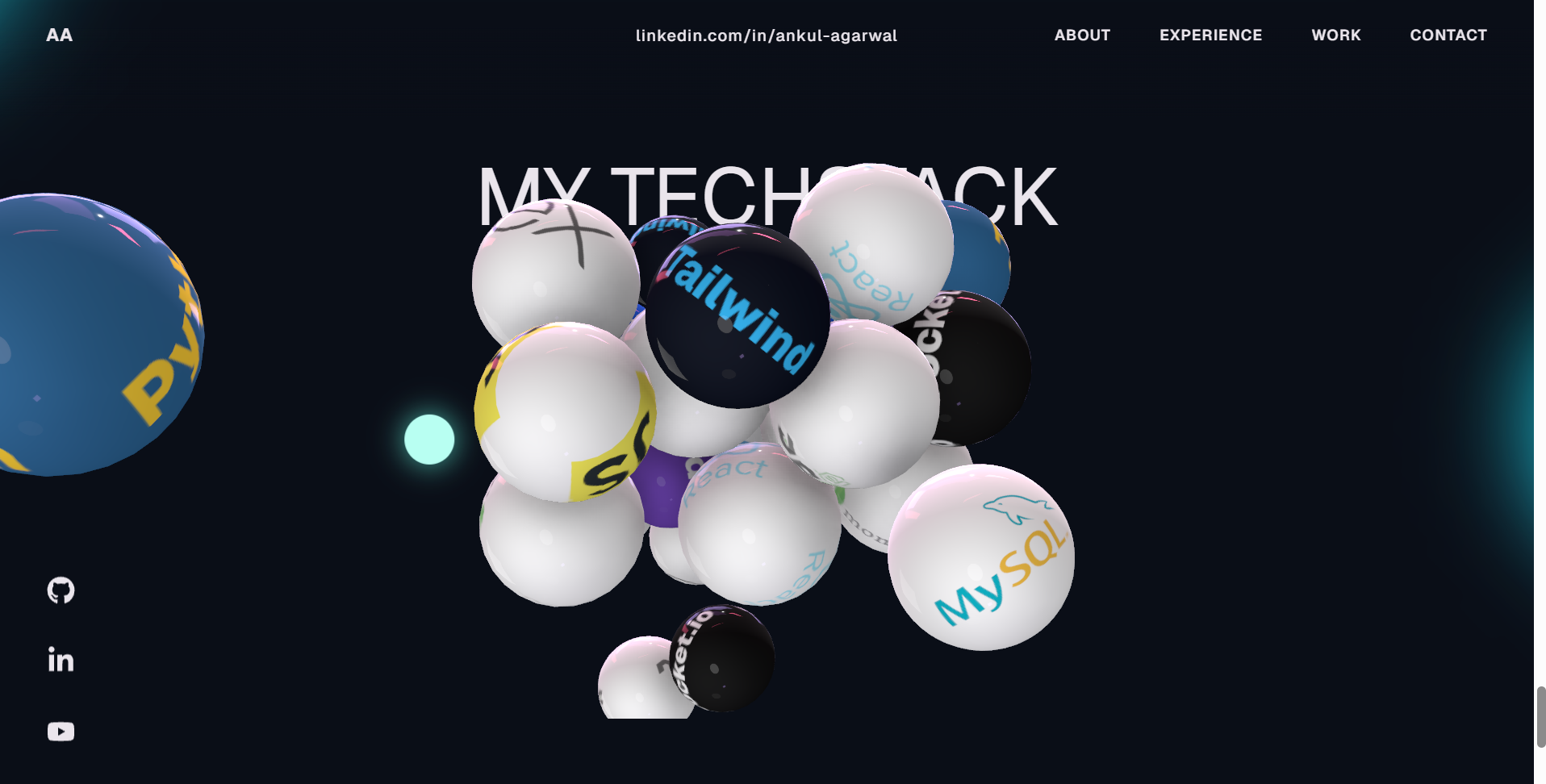
Around 34 glossy 3D balls, each showing a technology logo (React, Next.js, Node.js, MongoDB, TypeScript, Docker and more), float in zero gravity. They gently pull towards the centre, and your cursor acts like an invisible ball that pushes them around. It's surprisingly fun to play with. Soft shadows and ambient occlusion make the balls feel real.
9. Contact
A big "Let's build something great." heading sits next to a simple contact form (name, email, message). When submitted, the form opens the visitor's email app with everything pre-filled. If you haven't set an email yet, it sends them to your LinkedIn instead.
On the right, a 3D dotted globe slowly rotates. A pulsing marker shows your home city, curved arcs connect it to cities around the world and a small satellite circles on an orbit ring. The globe tilts slightly as you move your mouse.
10. Footer
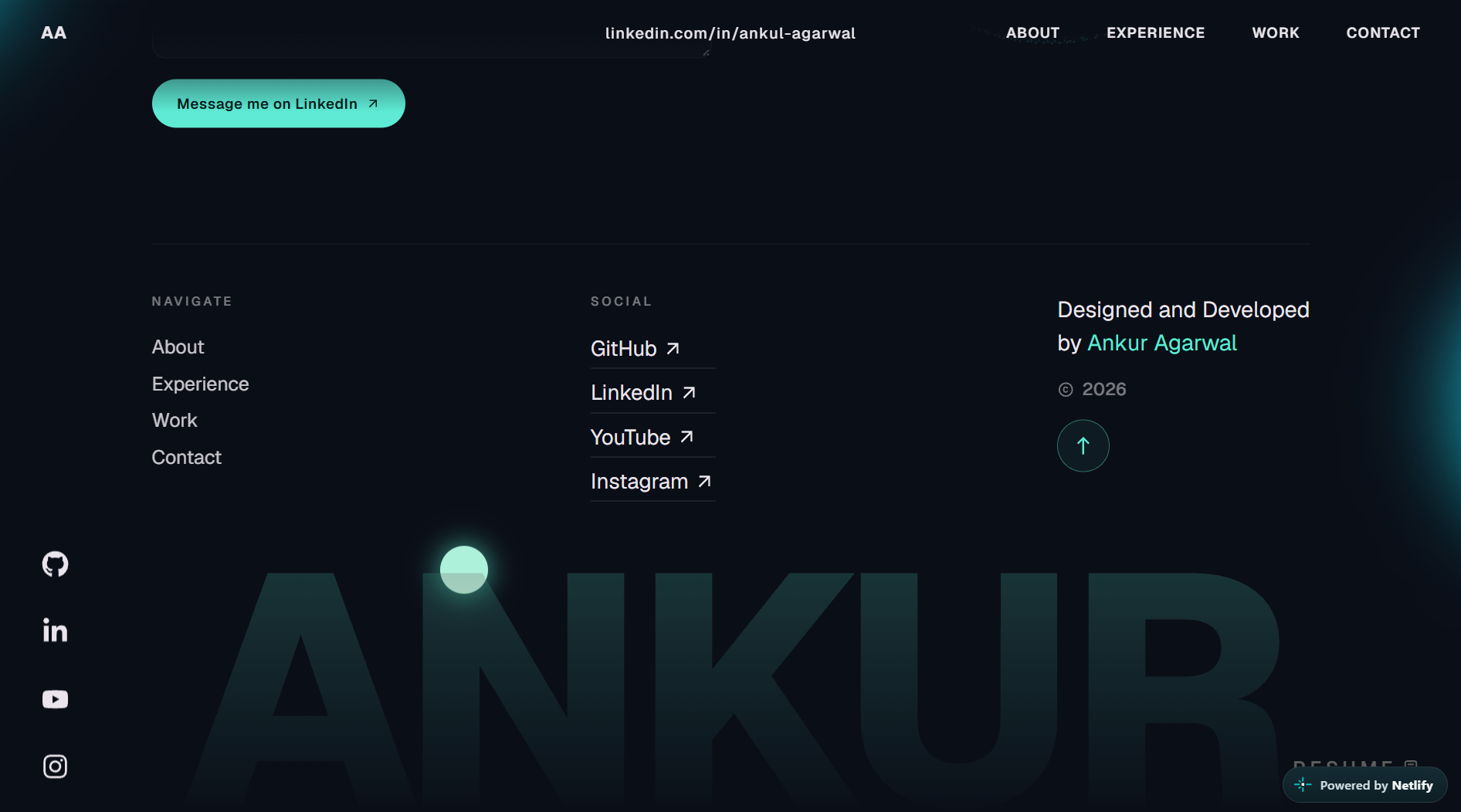
The footer has quick navigation links, social links, a "Designed and Developed by" signature, a back-to-top button and your first name in giant letters across the bottom.
Tech Stack
| Technology | Version | What it's used for |
|---|---|---|
| React | 18.3 | UI and components |
| Vite | 6.4 | Dev server and production build |
| TypeScript | 5.9 | Type-safe code |
| Three.js | 0.168 | Hero character, loader particles, star field, globe, waving avatar |
| GSAP | 3.15 | ScrollTrigger, ScrollSmoother and SplitText for all the scroll and text animations |
| React Three Fiber | 8.18 | The 3D Tech Stack scene |
| @react-three/drei | 9.122 | Environment lighting for the Tech Stack |
| @react-three/rapier | 1.5 | Zero-gravity physics for the tech balls |
| @react-three/postprocessing | 2.19 | Ambient occlusion (soft shadows) |
| three-stdlib | 2.36 | GLTF / Draco model loading |
| React Icons | 5.7 | All icons |
Good news: since GSAP 3.13, every GSAP plugin (including ScrollSmoother and SplitText) is 100% free, even for commercial projects. No membership needed.
Folder Structure
bash13d-portfolio-animated/ 2├── public/ 3│ ├── draco/ # Draco decoder for compressed 3D models 4│ ├── images/ # Tech logos and project screenshots 5│ │ └── projects/ # One image per project card 6│ ├── models/ 7│ │ ├── character.enc # The 3D character (encrypted .glb) 8│ │ ├── char_enviorment.hdr # Lighting environment 9│ │ └── encrypt.cjs # Script to encrypt your own model 10│ └── resume.pdf # Your CV (opened by the Resume button) 11├── src/ 12│ ├── data/ 13│ │ └── portfolio.ts # ⭐ ALL your content lives here 14│ ├── components/ 15│ │ ├── Character/ # Hero 3D character: loading, styling, animations 16│ │ ├── styles/ # One CSS file per section 17│ │ ├── utils/ # GSAP scroll timelines, loader scene, text effects 18│ │ ├── Landing.tsx # Hero section 19│ │ ├── About.tsx # About + Stats 20│ │ ├── WhatIDo.tsx # Services 21│ │ ├── Career.tsx # Experience timeline 22│ │ ├── Journey.tsx # Education + waving avatar 23│ │ ├── Work.tsx # Horizontal project gallery 24│ │ ├── TechStack.tsx # Physics tech balls 25│ │ ├── Contact.tsx # Form, globe and footer 26│ │ └── ... # Cursor, Navbar, Loading, Globe, etc. 27│ ├── context/ 28│ │ └── LoadingProvider.tsx 29│ ├── index.css # Colors, font and global styles 30│ └── main.tsx 31├── index.html # Page title and SEO meta tags 32└── package.json
Getting Started
You'll need Node.js 18 or newer (20 LTS recommended).
1. Install the dependencies
bash1npm install
2. Start the dev server
bash1npm run dev
Open http://localhost:5173 in your browser and you should see the loader, then the site.
3. Build for production
bash1npm run build 2npm run preview
The final site is created in the dist/ folder. You can deploy it to Vercel, Netlify, Cloudflare Pages or any static host. There's no backend and no environment variables to set up.
Make It Yours
1. Change your content
Open src/data/portfolio.ts. Everything visitors read comes from this file:
ts1export const profile = { 2 firstName: "Your", 3 lastName: "Name", 4 initials: "YN", 5 headline: "Full Stack Developer", 6 location: "Your City, Country", 7 availability: "Open to freelance & full-time", 8 email: "you@example.com", // the contact form sends here 9 resume: "/resume.pdf", 10 about: "A few lines about who you are and what you love building.", 11}; 12 13export const projects: Project[] = [ 14 { 15 title: "My Awesome App", 16 category: "SaaS dashboard", 17 type: "Web App", // also creates the filter buttons 18 description: "One or two lines about the project.", 19 tools: ["Next.js", "Node.js", "MongoDB"], 20 image: "/images/projects/my-app.webp", 21 link: "https://my-app.com", 22 github: "https://github.com/you/my-app", 23 }, 24];
In the same file you can also edit navLinks, socials, stats, services, experience and education.
2. Change the colors and font
The main colors are CSS variables at the top of src/index.css:
css1:root { 2 --accentColor: #5eead4; /* teal highlight used across the site */ 3 --backgroundColor: #0a0e17; /* dark page background */ 4}
The font is Geist from Google Fonts. Swap the @import line at the top of index.css to use a different one.
3. Replace images and files
- Project images: put them in
public/images/projects/(.webpworks best) and point to them inportfolio.ts. - Resume: replace
public/resume.pdfwith your own file (keep the same name). - Tech stack logos: edit the
imageUrlslist insrc/components/TechStack.tsx. Tools without a logo can be added as text balls in thetextTechlist, with no image needed. - SEO: update the title, description and social preview tags in
index.html.
4. Use your own 3D character (optional)
The character is stored as an encrypted .glb file so it can't be easily downloaded and reused. To use your own model:
- Export your rigged model from Blender as
character.glb(Draco compression recommended). - Put it inside
public/models/and run:
bash1cd public/models 2node encrypt.cjs
- This creates a new
character.enc. If you change the password inencrypt.cjs, change it insrc/components/Character/utils/character.tstoo.
Your model needs the same bone names (for example
spine006for the head) and animation names (introAnimation,typing,Blink,browup) for the head-tracking and animations to work.
Built for Performance
A site full of 3D can easily feel heavy. A lot of care went into keeping this one smooth:
- Every 3D scene pauses automatically when it's scrolled off screen.
- The pixel ratio is capped, so high-resolution screens don't overload the GPU.
- The 3D model is Draco-compressed and its shaders are compiled during the loading screen, so there's no stutter after the site opens.
- Heavy sections like the Tech Stack are lazy-loaded only when needed.
- Scroll animations are rebuilt only after a resize finishes, not on every pixel.
- Everything is cleaned up properly, with no memory leaks from WebGL or GSAP.
Launch Checklist
Before you share your new portfolio, run through this list:
- Update your name, bio and links in
src/data/portfolio.ts - Add your real projects and project images
- Replace
public/resume.pdfwith your own CV - Set your email so the contact form works
- Update the page title and meta tags in
index.html - Add your own favicon and social preview image
- Run
npm run buildand check that there are no errors - Deploy to Vercel or Netlify and share your link 🚀
License & Credits
Designed and developed by the MetaSkillGroup Team.
You're free to use this template for your own personal portfolio and to customise it however you like. Please don't resell or redistribute the template itself (as-is or modified) as your own product.
Built with ❤️ using React, Three.js and GSAP. If you make something cool with it, we'd love to see it!
Features
Particle loading screen that forms your name with real loading progress
Interactive 3D anime-style character that follows the cursor
Scroll-driven camera and character animations (GSAP ScrollTrigger)
Waving 3D avatar in the Education section
Pinned horizontal project gallery with 3D tilt cards and filters
Zero-gravity physics tech stack you can push with your mouse
Rotating 3D globe with location marker and city arcs
Smooth scrolling with GSAP ScrollSmoother
Letter-by-letter and word-by-word text reveal animations
Animated stat counters and experience timeline
Custom cursor and magnetic social icons
Contact form with email / LinkedIn fallback
All content editable from a single data file
Fully responsive with smooth scrolling on every screen size
Optimised 3D: auto-pause off screen, Draco compression, lazy loading
Tech Stack
React
v18.0
Vite
v6.4.3
Typescript
v5.9.3
GSAP
v3.15.0
React Three Fiber
v8.18.0
React Icons
v5.7.0
Tailwind CSS
v3.0
Compatibility
❓ FAQs

Written by
Ankur
Need it built for you?
The same team builds client projects too.
If nothing here fits exactly, tell us what you need. Requirements call first, a written SRS before any code, and a fixed or hourly quote.